The Podcasters Studio at Freeform House: A Practical Guide

You're staring at a weekly launch deadline, your USB microphone is balanced on a kitchen counter, and somebody in the next room is already on a work call. The equipment may be adequate, but the room, setup time, and repeated interruptions make a consistent show difficult to sustain.
That's the practical problem the podcasters studio at Freeform House is designed to solve. Free Form House is envisioned as a premier, membership-based club in the heart of Jenks, Oklahoma's 10 District downtown, with coworking space, meeting rooms, dining access, and a community hub built around collaboration and connection. The booth matters because it turns podcast production from an improvised home task into a repeatable part of a professional workday.
A Local Podcaster's First Day at Freeform House
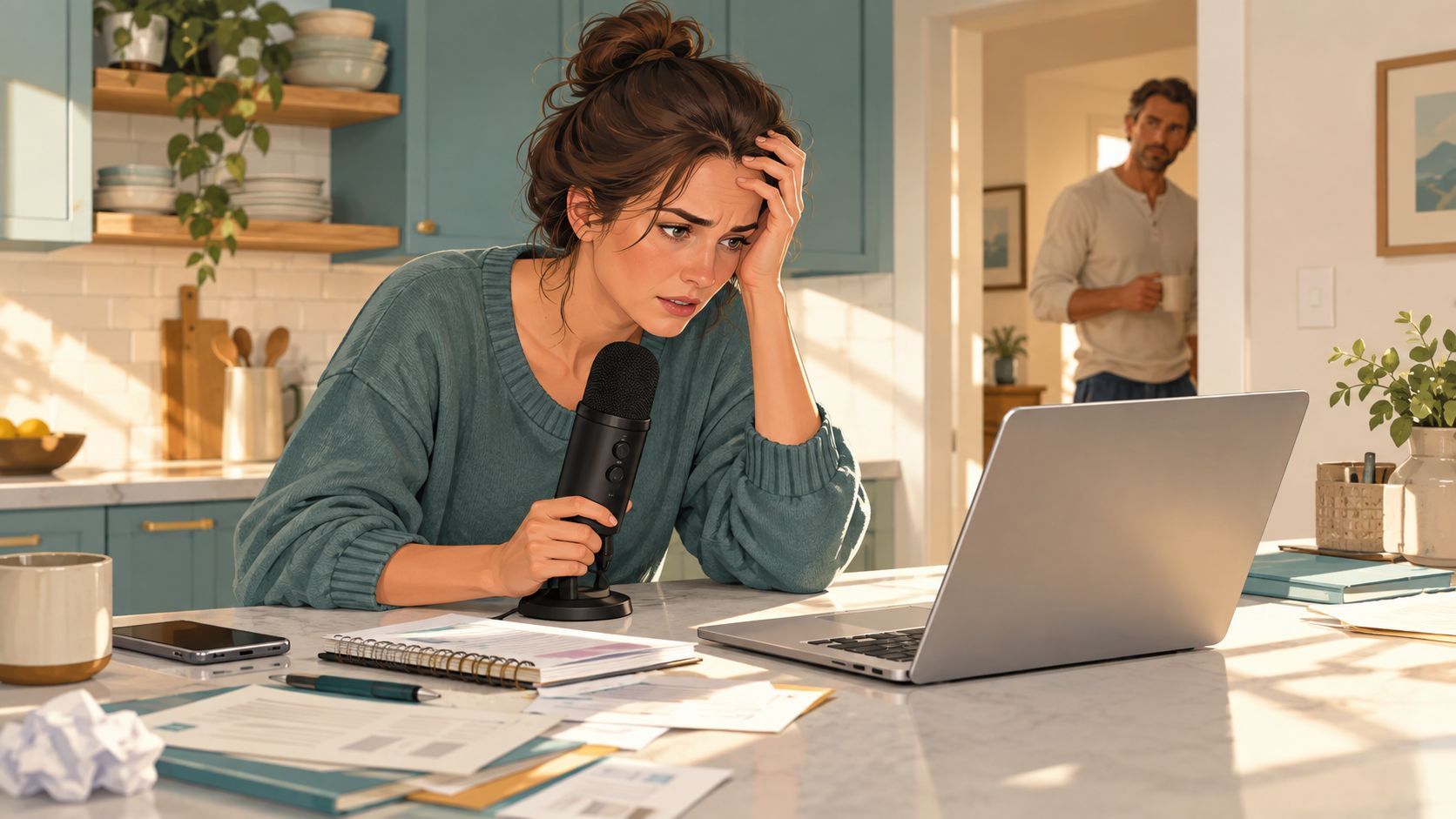
Maya runs a small business in Jenks and wants to launch a weekly interview series. She already owns a decent USB microphone, but her kitchen counter is doing too many jobs at once. Her spouse is working from the next room, the refrigerator keeps cycling, and she can't spend a weekend building a recording room before the first episode goes live.
She drives into downtown Jenks, parks near the Main Street entrance, and checks in at the front desk. A coffee from the shared kitchen gives her a few minutes to review the outline before she walks into the sound-treated booth. There, four Shure SM7Bs, a Rodecaster Pro II, four headphones, and a confidence monitor are already arranged for a multi-person conversation.
The difference is immediate. Maya doesn't have to troubleshoot a microphone stand, search for an available outlet, or ask her guest to imagine where to look. She sits down, puts on her headphones, checks the first question on the monitor, and starts with a short mic test.
The room should remove decisions
A first session still needs preparation, but it shouldn't require the host to become an audio engineer. The booth's value comes from reducing the number of choices between arrival and recording. A consistent room, a known signal path, and a saved show preset help a new host sound composed before she has developed studio habits.
The history of The Podcasters' Studio reflects that same practical philosophy. Ray Ortega created it as an educational podcast and resource focused on recording, editing, publishing, promotion, and monetization. His first podcast, Produce Picker Podcast, began as a video project in early 2007, and the flagship show began in 2009, documenting the move from experimentation toward repeatable production workflows (The Podcasters' Studio background).
Practical rule: Treat the booth as a system you can repeat every week, not as a room you rent only when everything else fails.
Booking the Booth and Preparing Your Session
Start in the Freeform House member portal and look for the podcast booth hour alongside meeting rooms and event spaces. Members can use included or discounted credits where their plan provides them, while non-members can rent the booth by the hour. The portal should also show the applicable cancellation window, so confirm that policy before booking rather than assuming an unused slot can be moved without notice.
The booth is only one part of the building's working environment. A host may book a meeting room for a pre-interview, use the shared kitchen before the session, or arrange a follow-up conversation in another space. If you're comparing the booth with a portable setup, review the practical differences in professional podcast equipment before deciding which workflow fits your schedule.
Send the checklist before anyone arrives
Send guests a short preparation note 48 hours before recording. Ask for the final guest count, confirm that the booth seats four, and find out whether anyone is bringing a laptop or other device for video. If a guest needs ADA access, request it through the ground-floor entrance in advance and confirm the step-free route with the host or building team.
Pre-load the episode outline into the session card shown on the confidence monitor. That keeps the host's eyes at conversational height and gives the guest a clear sense of progress without making the interview feel scripted.
A useful run-of-show can look like this:
Setup: Connect devices, place water, check files, and seat guests.
Mic check: Confirm gain, headphone comfort, and recording status.
Warm-up: Ask one or two informal questions before the formal introduction.
Interview: Follow the outline while leaving room for natural follow-ups.
Teardown: Stop recording, confirm file capture, collect belongings, and reset the room.
Book back-to-back blocks when you're recording a serial batch. The first session absorbs the learning curve. The following sessions move faster because the host, guest briefing, settings, and file process are already familiar.
Dialing In the Technical Setup Inside the Booth
A repeatable signal chain saves time in Freeform House's Jenks booth, especially when a membership session follows another booking. Each Shure SM7B runs through a cloudlifter-style preamp into the Rodecaster Pro II. See the full signal path in our guide to professional podcast equipment. For video, the in-room Logitech Brio covers a standard conversation, while the available multi-camera switcher supports bookings that need more than one angle.
Set the room before opening the software. Place each speaker 4 to 6 inches from the windscreen, keep the pop filter vertical, and angle the microphone slightly so the speaker talks across it instead of directly into the strongest plosive path. Match headphone levels across the host and guests. Set the confidence monitor at eye level, then load the run-of-show, guest names, and closing call to action.
Control the room before chasing polish
The acoustic panels behind each seat reduce reflections, but they do not remove every source of noise. HVAC rumble can sit below speech and become more noticeable once compression raises quieter passages. During the dead-air check, briefly flag or mute the vent if the room setup allows it. Listen for low-frequency noise and compressor pumping before recording the interview.
Record 60 seconds of room tone at the end of every session. Editors can use it to fill pauses, repair short interruptions, and make patch edits sound consistent. Check the booth from more than one listening position rather than judging it from the host's chair alone. The DPA acoustics guidance describes RT60 measurement using the ISO 3382-2 approach, with the microphone at least 1 meter from nearby surfaces and readings averaged across multiple source and microphone positions. For spoken-word recording, a short decay below 0.5 seconds is a useful target, with recording studios often cited around 0.4 to 0.6 seconds.
Save the show preset
Start with one booth preset and adjust it only when a speaker or room requires a change. This keeps recurring membership sessions consistent:
Setting | Value | Why It Matters |
|---|---|---|
SM7B gain | Around 50 | Provides a repeatable starting level before fine adjustment |
Low-cut filter | 80 Hz | Reduces HVAC rumble and low-frequency handling noise |
Compressor ratio | 4:1 | Controls speech variation without flattening every word |
Compressor knee | Hard | Makes the control behavior easy to recognize and repeat |
Integrated loudness | −16 LUFS stereo | Establishes a consistent spoken-word delivery target |
True peak | Around −1 dBTP | Leaves protection against clipping during delivery |
The loudness target belongs to the complete export, not a short excerpt. The LUFS delivery guide recommends approximately −16 LUFS integrated for stereo, approximately −19 LUFS for mono, and true peak around −1 dBTP, while cautioning against excessive compression.
Save the input gain, filtering, compression, limiter, LUFS, and true-peak checks as a one-page show preset. Before publishing, audition the finished file on headphones and a small phone speaker.
Guest Logistics and the On-Site Recording Flow
At Freeform House Jenks, a guest's first few minutes can determine whether the session feels calm or rushed. Send arrival instructions before the visit, including parking near the front entrance, the meeting point, and where coats, bags, or other belongings can be stored. Share the podcast studio layout so first-time visitors can orient themselves before entering the booth. Meet the guest in the building entry rather than expecting them to find the membership-based studio alone.
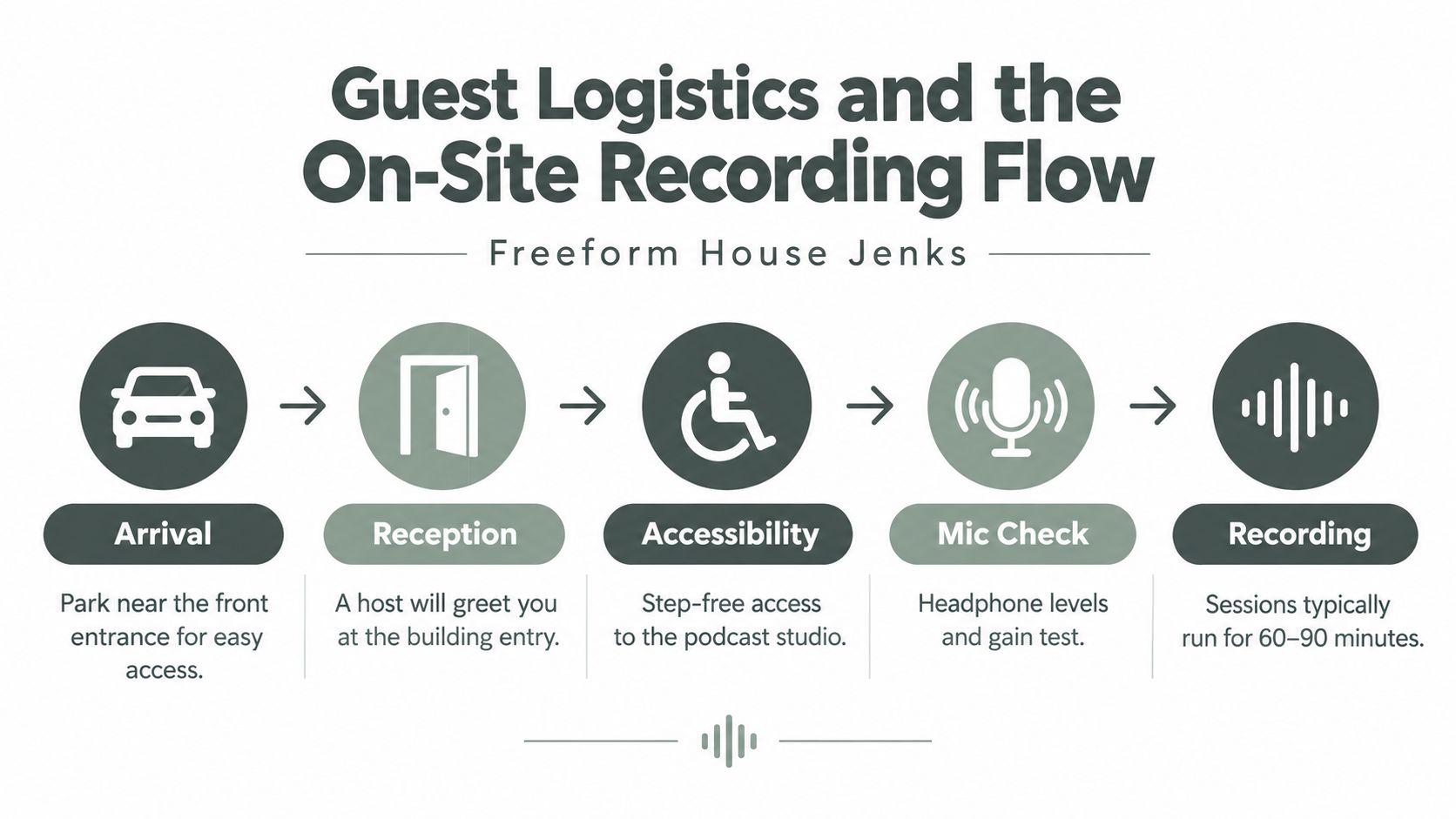
Confirm the step-free route to the booth before the appointment, especially if the guest has mobility needs. Ask about captions, a transcript, hearing-access support, or a different seating arrangement. Accessibility includes communication as well as physical access. Transcripts and captions should cover spoken content and relevant non-speech audio, as described in research on audio engineering access for Deaf and hard-of-hearing creators.
A briefing the host can reuse
Send these instructions before the visit or read them during setup:
“Keep your mouth about 4 to 6 inches from the microphone and speak across the windscreen rather than directly into it. Place your water below the microphone to reduce handling noise. Tell me if your headphones feel uncomfortable. Avoid speaking over another person so the editor can preserve both voices. We're recording this conversation, and your participation confirms your consent to the recording and its agreed promotional uses.”
Keep a short buffer in the Freeform House appointment for late arrivals, a restroom break, or a technical redo. A focused flow keeps the visit under 60 minutes without making the guest feel hurried:
Arrival and greeting: Parking, entry, belongings, and seating.
Mic check: Headphone level, gain test, pronunciation, and consent.
Conversation: Follow the outline, watch the monitor, and leave natural pauses.
Close: Confirm names, links, promotional mentions, and file expectations.
Before the guest leaves the booth, confirm their preferred name and pronouns, email address, social handles, company spelling, website, and any offer or event they want mentioned. This final check prevents avoidable corrections after the episode has been edited.
Planning Audio and Video Outputs From One Session
A single booth session can support several deliverables, but only if the host decides what each file is for before recording. Audio remains the primary consumption mode for 58% of podcast users, while YouTube leads podcast discovery and 44% of new podcast audiences began listening there, according to the Podcast Download Spring 2025 report.
That combination argues against treating video as a replacement for audio. A business host can record an audio-led conversation, capture efficient video at the same time, and use the visual version to create discovery assets. The multicam setup is useful when the guest's expressions, demonstrations, or environment add meaning. Audio alone may be the better primary product when the discussion is long or rewards uninterrupted listening.
Use a decision rule before the session
Ship video when the guest is visually engaging, the topic has a strong shareable moment, or the conversation benefits from demonstrations and reactions. Prioritize audio when the conversation runs beyond 75 minutes or when the subject is best consumed while commuting, exercising, or working.
Output | Format & Spec | Best Use Case |
|---|---|---|
Full video episode | Multicam long-form render with synchronized dialogue | YouTube, website embedding, and visual interviews |
Audio master | Clean stereo file with measured integrated loudness | RSS distribution and listening apps |
Vertical clips | Short portrait edits with burned-in captions | Reels, TikTok, Shorts, and social discovery |
Quote graphics | Brand-safe stills with accurate transcript excerpts | LinkedIn, newsletters, and local promotion |
Plan filenames, aspect ratios, captions, and approvals before the recording. Label the source folders by show, episode, guest, and recording date. During the interview, mark strong moments in the outline so the editor doesn't have to rewatch the entire conversation without direction.
The most efficient edit usually produces one long-form video, three to five short vertical clips from the strongest moments, and a clean stereo audio master. That output mix gives the guest something useful to share without turning every sentence into a separate piece of content.
Editing, Exporting, and Publishing Your Episode
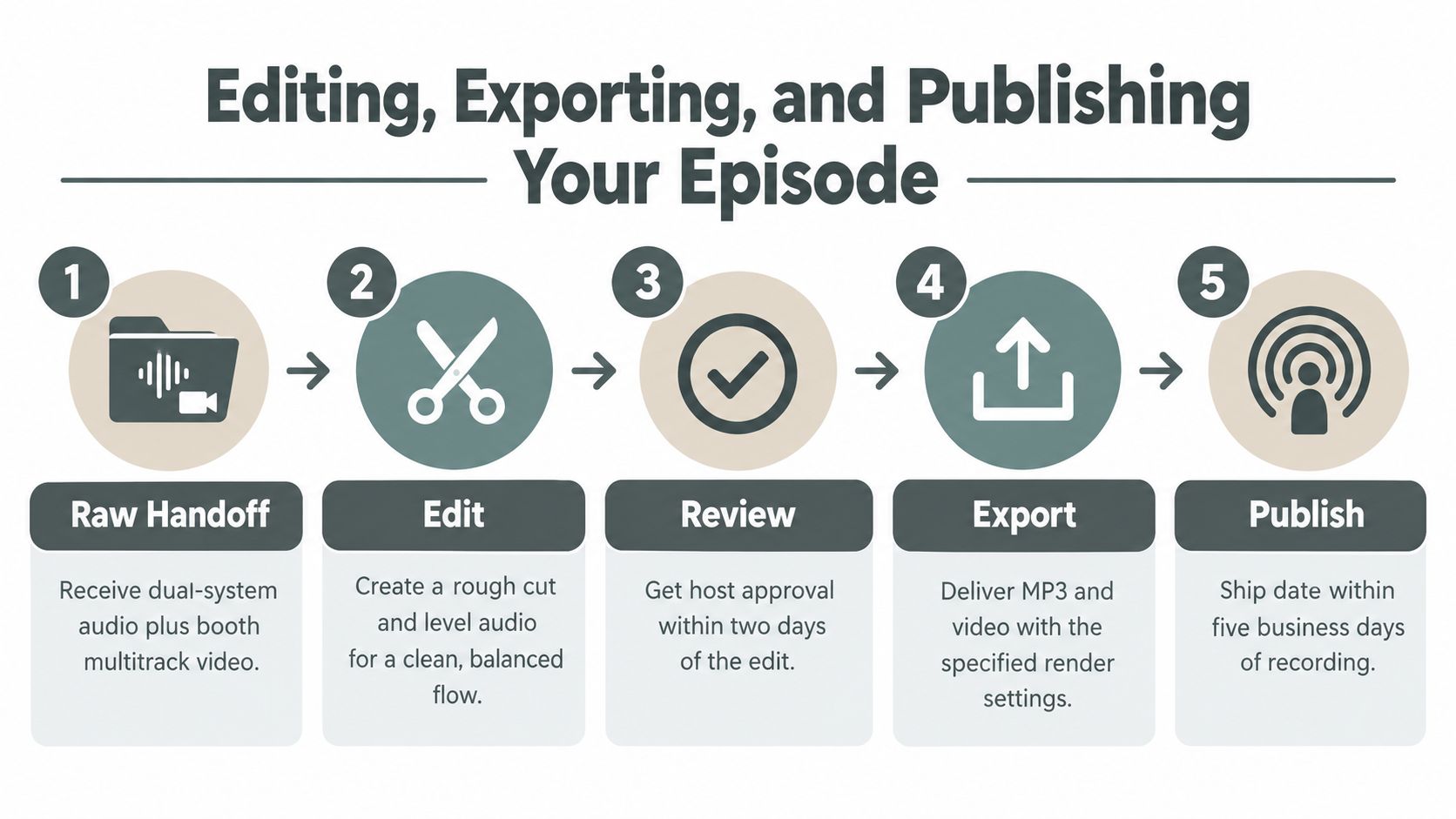
A five-business-day publishing window works when the Jenks booth handoff is complete. Send the editor dual-system audio, Freeform House's multitrack video, the session outline, guest details, music information, and marked clip moments in one shared drive or cloud folder. A clean handoff prevents the editor from chasing files after the recording.
Use a structure such as:
01 Raw Audio: Original multitrack files and room tone.
02 Raw Video: Camera files and switcher output.
03 Edit: Project files, rough cuts, and review exports.
04 Masters: Approved audio, video, captions, and transcript.
05 Promotion: Clips, quote graphics, thumbnails, and copy.
Make the edit in deliberate passes
Start by removing obvious mistakes, long dead spaces, interruptions, and distracting mouth or chair noise. Apply noise reduction lightly. Heavy processing can make voices sound artificial and raise the booth's HVAC noise during pauses. Then match levels, add the music bed, insert chapter markers, and build the transcript or shownotes from the approved edit.
Check the complete program for loudness. Measure integrated LUFS, verify true peak below −1 dBTP, listen for inconsistent room tone, and confirm that the opening, conversation, music, and closing fit together naturally. Do not normalize only the loudest section. The spoken-word loudness workflow favors full-program measurement and a limiter that controls clipping without flattening the performance.
Quality-control habit: Check the master on headphones and a small phone speaker before delivery. Booth playback can hide problems that become obvious on compact speakers.
Have the host review the rough cut with timestamped comments. After approval, export the audio master, video render, captions, transcript, artwork, and promotional clips. Set the RSS episode title, description, season or episode fields, artwork, and release date. Verify the published episode in the host's podcast app before sharing it through the Freeform House member community.
Promoting Locally and Getting the Most From Membership
The booth becomes more valuable when the recording connects to the rest of the local community. Tag Freeform House Jenks in social posts, identify the guest and their business, and publish a standout Reel or TikTok clip within 24 hours while the conversation is still fresh. Submit the finished episode to Tulsa-area podcast directories and community newsletters, with a local description that explains why the guest matters to the area.
Use the lobby screens, member Slack, and event nights to find guests and co-promoters. A local business owner may bring a subject-matter connection, an event announcement, or a customer story that gives the episode a reason to circulate beyond the host's existing audience.
Turn access into a repeatable calendar
Negotiate bundled hours or a monthly membership tier when the show has a dependable cadence. Trade studio time for cross-promotion with neighboring members where the arrangement makes sense, and build a quarterly release calendar around local meetups, ribbon cuttings, seasonal campaigns, and community events.
A membership-based club also needs more than attractive rooms to create useful connections. Coworking research has linked positive interaction to the physical environment, community dynamics, and personal development, while other research cautions that proximity alone doesn't automatically produce collaboration. Freeform House's broader model can support that work through hosted introductions, curated events, flexible rooms, and intentional programming rather than relying on accidental encounters.
Authentic presentation matters too. Getty Images' VisualGPS research found that 98% of consumers consider authentic images and video important for establishing trust, while nearly 90% want disclosure when an image was created with AI (VisualGPS research summary). Use realistic photography of the actual Jenks building, rooms, members, work sessions, dining areas, and podcast facilities. Clip-art visuals and generic studio graphics weaken the credibility that the booth is meant to establish.
Freeform House offers a Jenks workspace and member community with an in-house podcast booth for producing consistent audio, video, and promotional content. Visit Freeform House to explore the club, plan your next recording session, and build a podcast workflow that fits your working week.
Comments