Podcast Equipment Rental: Full Guide for Creators

Renting is cheaper for creators who record fewer than 30 hours per year. At an average professional rate of $147 per hour, a $6,500 pro setup breaks even at about 44 rental hours.
That's the decision most podcast equipment rental comparisons bury under inventory lists. You're not really choosing between a microphone and a mixer. You're choosing whether to own a technical operation, or pay for access only when the production requires it.
You may have a strong show concept, a limited launch budget, and no reliable answer to how often you'll record. You may also need realistic, authentic visuals rather than clip-art-style graphics or artificial-looking imagery. That matters for the brand around your podcast, too. One reported study found that 66% of respondents preferred brands using real, unedited photos, while respondents were more than twice as likely to prefer real images over AI-generated ones, 38% versus 15%. See the coverage of consumer preferences for authentic advertising imagery and the definition of authentic photography as documentation of something real.
Renting Podcast Equipment or Buying Gear
You've got a show format, a guest list, and perhaps a rough publishing schedule. The temptation is to buy everything immediately, especially after watching equipment reviews that make a full setup look like the obvious mark of professionalism. Don't start there. Start with your expected recording hours.
Use hours as the first filter
Estimate the time you'll spend recording, not the number of episodes you hope to publish. A monthly interview show, a quarterly executive series, and a short campaign for a local business can all require excellent audio while producing very different equipment utilization.
The practical rule is straightforward: rent if you'll record fewer than 30 hours per year. A podcast studio cost breakdown from PodVenues identifies that threshold and also places the break-even point for a $6,500 professional setup at about 44 rental hours, using the U.S. average professional studio rate of $147 per hour.
That gap between 30 hours and 44 hours is useful because it exposes the difference between a cautious rental decision and a full ownership decision. Below the rental threshold, buying leaves capital tied up in equipment that sits idle. Near the break-even point, your answer depends on whether you need a permanent setup, whether you already have a suitable room, and whether someone on your team can manage technical problems.
Practical rule: Buy when recording is a dependable operating activity. Rent when recording is an occasional production requirement.
Buying becomes more defensible when your schedule is stable and you need immediate access without coordinating bookings. Ownership also gives you control over microphone placement, room treatment, file organization, and repeated sessions with the same setup. The trade-off is responsibility. You'll store the equipment, replace cables, troubleshoot hums, protect microphones, and keep the workflow usable for guests who aren't audio professionals.
Decide what kind of control you need
Renting works particularly well for panels, branded interview series, event recordings, and format tests. You can choose a two-person package one week and a video-capable arrangement later without committing to every component.
Buying makes sense when the same people record frequently in the same controlled room. It's also reasonable for a production team that already has technical staff and wants a permanent, repeatable environment. If you're a solo creator still testing the concept, ownership often turns a creative project into a storage and maintenance project before the audience has had a chance to develop.
Typical Podcast Equipment Rental Costs
Podcast equipment rental pricing falls into three practical tiers: standalone hardware, bundled daily kits, and managed studio sessions. The cheapest option isn't automatically the right one. A low daily rate can become expensive if you still need to find a quiet room, transport the equipment, set gain levels, monitor guests, and edit isolated tracks afterward.
A podcasting equipment rental listing shows the clearest comparison for basic kits. A one-host kit is listed at $33 per day to rent versus $250 to buy. A two-host kit is listed at $75 per day versus $650 to purchase, while a more elaborate video-capable kit is listed at $165 per day versus $2,200 to own.
Package | Daily Rental | Purchase Price |
|---|---|---|
One-host kit | $33 per day | $250 |
Two-host kit | $75 per day | $650 |
Video-capable kit | $165 per day | $2,200 |
Those examples show why the package contents matter more than the headline rate. A one-host kit may be enough for a solo commentary show, but it won't solve the monitoring and track-isolation needs of a panel. A video kit adds cameras, lighting, and related support, so it should be compared with the cost of buying an entire visual production workflow, not just another microphone.
Studio bookings change the calculation
A managed studio is a different purchase. You're paying for an acoustically prepared room, installed equipment, setup, and often technical assistance. PodVenues analyzed 326 or more studios across 107 cities and reported an average hourly rate of $147, with prices ranging from about $27 per hour in shared community spaces to $415 per hour for premium full-service video studios. The PodVenues podcast studio cost report also reports that adding video typically raises the hourly cost by 30% to 50%.
Location affects the quote as well. The same report says major hubs such as Salt Lake City and Nashville run about 85% higher than lower-cost cities such as Cleveland or San Antonio. That's a reminder to compare local providers with local providers, rather than treating a national average as your expected invoice.
For a small team, the right comparison is total production cost. Include delivery, insurance, setup time, venue access, engineering, file transfer, and post-production. A bare kit may win on daily price, while a studio booking may win on the time it removes from your team's schedule. For more context on choosing between individual components and a supported production setup, review this guide to AV equipment rental.
When Renting Beats Buying Your Podcast Gear
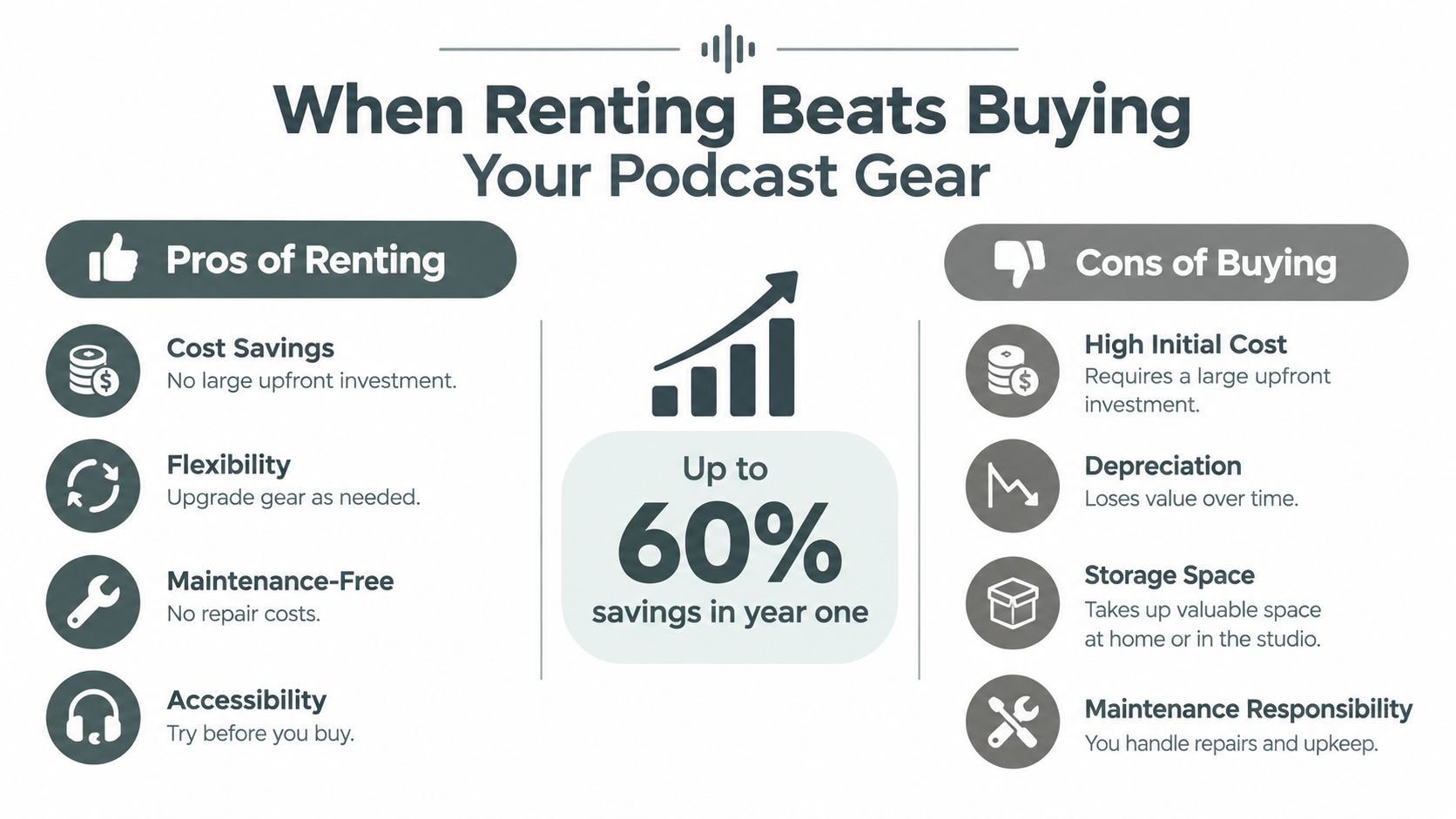
The strongest case for renting is not that rental rates are always low. It's that ownership costs continue after the purchase. Equipment occupies space, needs protection, and can become outdated when your format expands from audio interviews into video, remote guests, or live panels.
The break-even framework gives you a usable answer. If you record infrequently, rent. If you record often enough to approach the ownership threshold, compare the full cost of both options. That means adding the purchase price, room preparation, accessories, maintenance, transport, and the value of your setup time.
Compare the production pattern
An occasional creator usually benefits from a bundled rental because the equipment is available only when needed. A business recording a limited interview series can match the package to the guest count and production style. A producer testing a new format can try a multitrack recorder, remote-call workflow, or video package before committing capital.
A frequent producer has a different problem. If the same team records on a predictable schedule and already has a suitable room, owning may reduce coordination and make the workflow faster. That advantage disappears if the room has untreated reflections, inconsistent background noise, or no place for guests to monitor themselves.
Judge the risk, not just the invoice
Renting reduces financial exposure when your publishing plan is uncertain. It also lets you match equipment to the job, which is valuable when one recording needs two voices and another needs several participants or a camera package. The downside is logistical. You must reserve the gear, collect or receive it, verify the contents, set it up correctly, and return it on time.
Buying offers availability and familiarity. The downside is that you absorb depreciation, storage, repairs, and the consequences of choosing the wrong system. A USB microphone may be simple for a solo recording, but it won't give a multi-speaker production the same routing flexibility as a mixer and separate recorder.
Renting is a financial decision first, but it's also a way to postpone a technical commitment until your format proves what it needs.
For most small businesses and independent creators, the practical sequence is to rent the first production window, document what the team uses, and buy only the pieces that remain necessary across repeated sessions. Don't buy a complete studio because you might eventually need one.
Essential Gear Checklist for Podcast Rentals
A rental package earns its keep when it matches the recording format and leaves usable files behind. Build around isolated voice capture and controlled monitoring, then compare that package with the cost of a supported booth. The break-even point is not only the daily equipment rate. Include setup time, troubleshooting, accessories, and any recording problems your team must fix later.
Start with the signal path
Choose dynamic microphones for spoken-word sessions. They focus more tightly on the speaker and tolerate ordinary room conditions better than an open, untreated setup. Confirm that every microphone has its own channel, then check whether stands, cables, and positioning support are included.
Use a two-channel mixer or multitrack recorder according to the post-production requirement. A mixer gives the operator control over levels and monitoring. A multitrack recorder preserves separate tracks, so an editor can correct one guest's level without changing every voice. Pairing a mixer with a separate recorder can preserve isolated tracks while still allowing live monitoring, which helps when a guest's level needs correction after the session.
Closed-back headphones should be available for every participant, not only the host. Add a headphone amplifier when several listeners need a feed. Each speaker then has a clear reference during recording, with less chance of headphone sound bleeding into the microphones.
A professional podcast equipment guide from Freeform House covers this rental-grade combination in detail. Use it to check whether a proposed package supports your workflow rather than accepting a list of hardware without asking how the pieces work together.
Check the features that prevent avoidable problems
For remote interviews, request mix-minus Bluetooth or phone integration. Mix-minus sends the remote caller the correct return signal without feeding the caller's own voice back into the call, preventing echo.
Onboard microSD recording provides a backup if the laptop fails. One-touch recording reduces operating steps, while programmable sound pads suit formats that use controlled transitions or effects. These features matter when the host must focus on the guest instead of managing a computer.
Independent rental catalogs list a Focusrite Scarlett 2i2 at about $9.25 per day, an SSL2+ at about $18.50 per day, and a RØDECaster Pro at about $22 per day. The broadcast-oriented audio rental catalog shows how providers specify podcast hardware by routing, recording, phone integration, and multitrack flexibility, not basic USB convenience.
Before booking, confirm these points:
Microphone count: Match inputs to the maximum number of speakers, not the average episode.
Track format: Confirm whether you receive isolated WAV files or only a stereo mix.
Monitoring: Make sure every participant can hear the conversation without feedback.
Accessories: Verify stands, cables, power supplies, memory cards, and adapters.
Room support: Ask whether the package assumes an acoustically treated room.
Premium Local Podcast Booth Experience
Bare equipment rental is only one way to produce a podcast. For an executive interview, a client-facing series, or a recording day with several guests, a supported booth can remove the parts of production that create the most risk: room setup, microphone placement, level checks, camera coordination, and file handling.
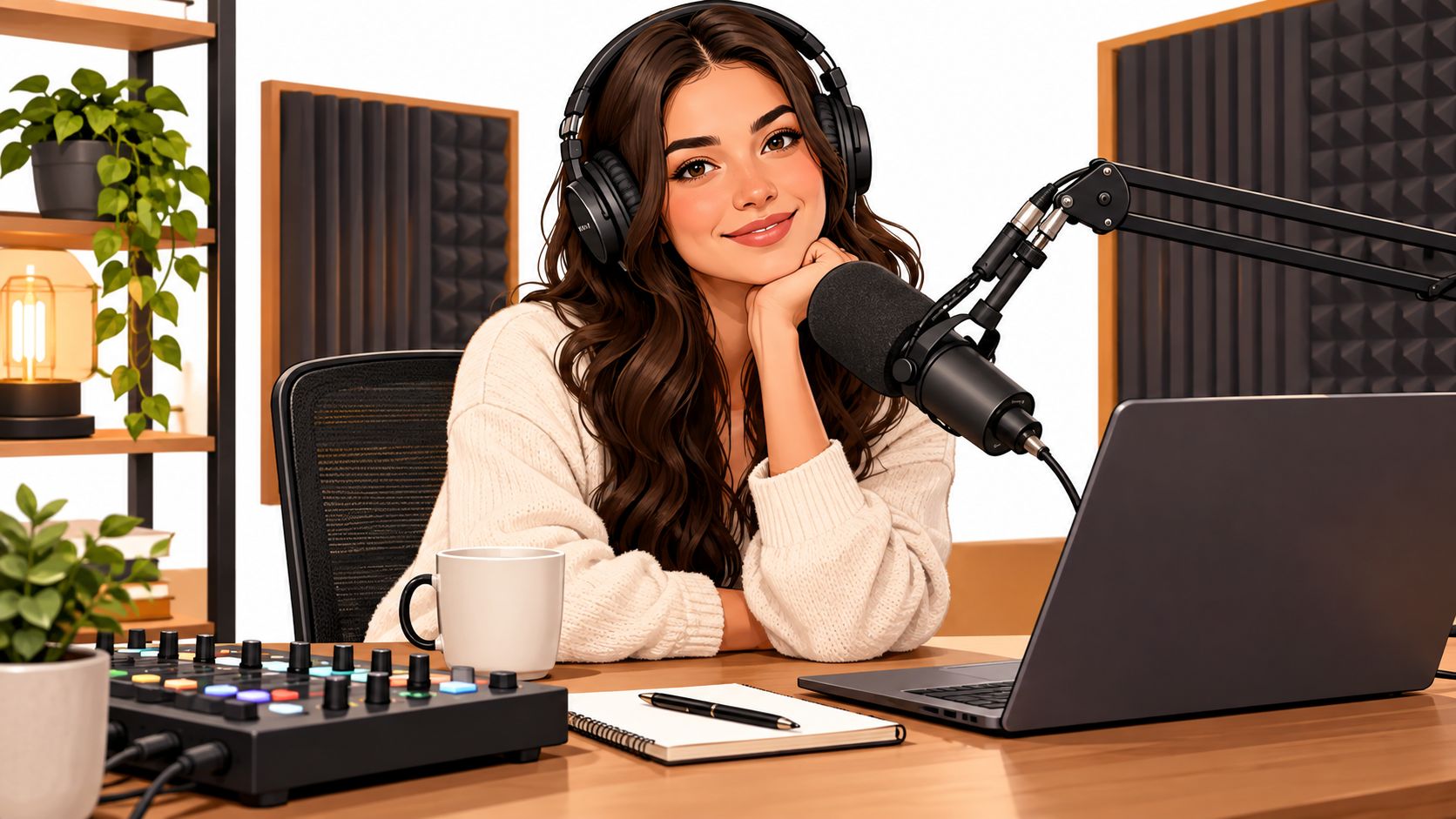
Consider a local premium space in downtown Jenks built as more than a room with equipment. The concept combines a members' club, coworking environment, and community hub in the 10 District, with an in-house podcast booth for professional content production. That kind of setting suits a business owner who needs to record, meet a guest, work between sessions, and keep the day moving without coordinating several locations.
The service model is the important part. A booth with professional microphones, soundproofing, editing software, and an operator can produce a cleaner handoff than a box of equipment delivered to an unfamiliar room. It also gives guests a more confident experience, particularly when they're executives, clients, or community figures who don't record regularly.
Pay for the workflow you actually need
Current rental listings show that managed packages can include 4K cameras, lighting, same-day MP3 and WAV delivery, engineer support, airport delivery, and add-on insurance. The local podcast studio rental example illustrates this movement toward a service-heavy workflow instead of standalone microphones and cables.
That distinction changes the budget conversation. With bare equipment, your team manages transportation, setup, acoustics, backups, and post-production coordination. With a managed booth, you're paying for a prepared environment and fewer handoffs. The second option can cost more per booking while still making better business sense for a short recording window.
A premium local space can also function as a wider professional setting. Coworking spaces commonly bundle community and hospitality amenities, and one survey summary reports that 94% of coworking spaces include extra perks, with coffee and tea in 71%, snacks or meals in 56%, and networking or social events in 45%. The coworking amenities survey summary supports the idea that a members' club can serve as a work, meeting, and connection environment rather than a desk-only facility.
The video below shows the kind of booth-oriented production experience that equipment-only rental doesn't provide. Watch for the relationship between the room, the operator, and the recording workflow.
For Jenks and Tulsa teams, the choice is simple when the session carries reputational weight. Rent a kit when you're comfortable being the producer. Book a supported booth when the guest experience, visual consistency, and delivery schedule matter more than owning the hardware.
How to Evaluate and Book Equipment Providers
Start with the session, not the provider's inventory page. Write down the number of speakers, recording format, room location, camera requirement, delivery deadline, and whether a remote caller will join. Then ask the provider to recommend a package against those requirements.
Verify the operational details
Equipment condition matters, but support matters more when the recording can't be repeated. Ask who handles setup, whether an engineer remains available during the session, and what happens if a recorder, cable, or microphone fails. A provider that can explain its backup process is more useful than one that only lists premium brands.
Request a complete quote. The base rate may not include delivery, pickup, insurance, overtime, setup, additional microphones, memory cards, engineering, editing, or rush delivery. Confirm the cancellation and rescheduling policy before paying a deposit, especially if guests are traveling.
A local content creation studio can be a better fit than mobile equipment when you need a prepared room and a reliable production handoff. The relevant question isn't whether the provider has every possible device. It's whether the booking removes enough coordination to justify the fee.
Prepare the recording day properly
Send the provider your guest count and format in advance. Tell them whether you need a finished stereo file, isolated tracks, video clips, or all of those deliverables. If the session includes a remote guest, test the call path before the scheduled start rather than discovering echo after the interview begins.
Arrive early enough to complete a sound check. Speak at the same volume you'll use during the interview, move naturally in the chair, and ask the operator to listen for clothing noise, desk vibration, plosives, and inconsistent distance from the microphone.
Use this booking checklist:
Confirm the package: Match microphones, inputs, headphones, cameras, and lighting to the actual format.
Confirm the files: Specify WAV, MP3, isolated tracks, video resolution, and delivery timing.
Confirm responsibility: Identify who handles setup, monitoring, backups, and troubleshooting.
Confirm the room: Check access, parking, guest arrival instructions, and acoustic conditions.
Confirm the price: Get every fee and policy in writing before the recording date.
The best provider makes the production feel uneventful. That's exactly what you want. Technical competence should keep the conversation in focus, not become part of the episode.
FAQ About Podcast Equipment Rental
How long should I rent equipment?
Rent for the full period that includes setup, testing, recording, and return. If you're using delivery, build in time to inspect the package before the session.
Is equipment insurance worth adding?
Add it when the replacement cost would disrupt your project or when equipment travels between locations. Ask what the policy covers, including transit, accidental damage, theft, and late returns.
How should I prepare for a first rental?
Send the provider your speaker count and format, then test every input before recording. Label tracks during the session so your editor can identify each voice quickly.
What should I do if audio fails?
Stop recording, save the current file, and check power, cables, input selection, and headphone routing. Don't continue for several minutes hoping the problem will resolve. Ask the operator or provider for help immediately and create a short test recording before restarting.
Freeform House offers an in-house podcast booth with professional-grade microphones, soundproofing, and editing resources for creators who want a supported recording workflow in downtown Jenks. Visit Freeform House to explore the space, membership, and options for producing your next podcast session.
Comments