10 Ideas for Content Creators in 2026

You've got an interview to record, a newsletter to finish, and a phone full of clips that don't quite fit together. At home, the light keeps changing, someone interrupts the recording, and your next post starts to look like the last one. Before buying another digital tool, consider whether a better physical setup would help you produce something more useful.
Walking into a restored downtown building, settling into a soundproofed podcast booth, and leaving with material for several publishing formats is an appealing alternative. But the room alone won't make that happen. You need a clear audience question, permission to record, and a plan for capturing more than the main conversation.
Premium spaces become content engines when you use their resources deliberately. A loft studio can become a photography classroom. An executive room can host a practical business discussion. A shared workspace can provide the setting for stories about how people work, collaborate, and build local businesses.
The strongest ideas for content creators connect those settings to something an audience needs to understand or decide. For a membership-based club such as Free Form House, envisioned in downtown Jenks' Ten District with a concept comparable to SoHo House, that means showing more than attractive interiors. Show how people use coworking spaces, meet collaborators, exchange expertise, and participate in local life.
Keep the visuals realistic and authentic, never clip art. Actual people, working equipment, lived-in details, and recognizable local surroundings will serve this approach better than generic illustrations of creativity.
1. Behind-the-Scenes Podcast Production Series
A useful podcast production series starts before the guest sits down. Record the microphone placement, headphone check, recording setup, and room preparation, then explain the decisions that affect the listener's experience.
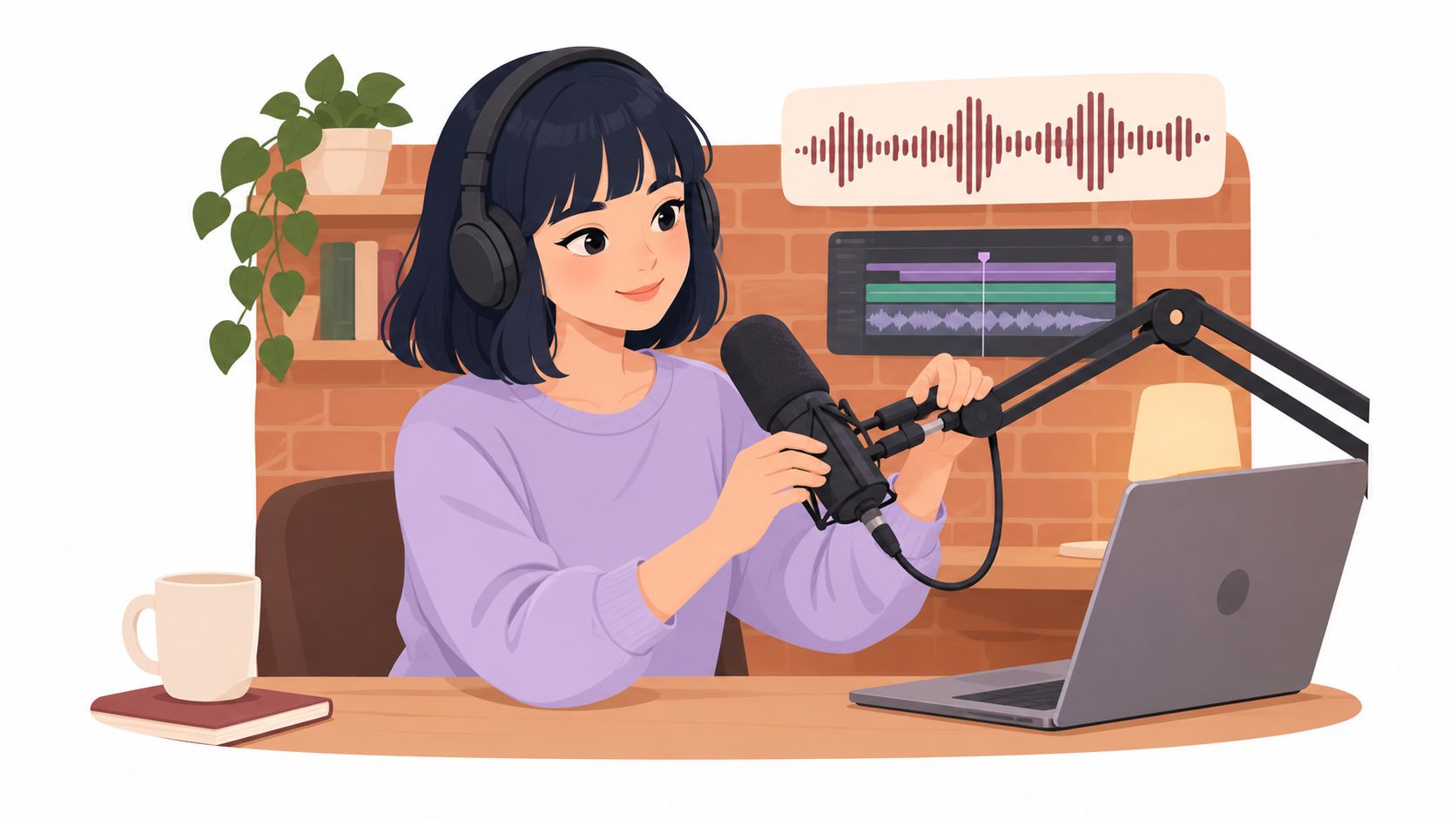
Use Freeform House's in-house podcast booth as a working setting rather than a showroom. A local founder interview could produce both the published conversation and a companion demonstration about preventing distracting audio problems. The practical value comes from explaining what you changed and why, not displaying professional equipment.
Show the Decisions Behind the Recording
Build the series around specific production questions:
Microphone technique. Demonstrate consistent speaking distance and explain why guests should avoid turning away while answering.
Guest preparation. Show the briefing notes, pronunciation checks, and topic boundaries that help a conversation feel natural.
Audio cleanup. Compare an untreated excerpt with a carefully edited version, keeping playback levels comparable.
Publishing preparation. Show how you select a title, write an accurate description, and check captions.
Use the podcast production process guide to organize the workflow, then pin the resulting videos in a clearly named production playlist.
The trade-off is attention. Filming the setup mustn't distract you from recording the episode properly. Capture your explanation before the guest arrives, get permission for candid footage, and avoid exposing private conversations or contact details.
End with a relevant invitation, such as submitting a production question or proposing a local guest. That's more useful than asking everyone to follow without giving them a reason.
2. Main Street Stories Local Entrepreneur Interview Series
Ask a Jenks business owner about a decision they'd handle differently, and you're more likely to get a useful conversation than if you ask them to describe their success. Specific decisions reveal how someone thinks. Broad biography questions often produce polished answers that sound like an advertisement.

Film founder conversations in a comfortable club room, with enough context to establish the location without making the venue the subject of every shot. A Tulsa creative-business owner might explain how they scope client work; a Jenks retailer might describe preparing for a downtown event.
There's a useful lesson in creator-led information. Pew Research Center found that 21% of U.S. adults regularly received news from social-media news influencers in 2024. That doesn't prove founder interviews will perform, but it supports taking a clear, human explanation seriously as an editorial format.
Keep a Consistent Editorial Spine
Ask each guest about the customer problem they solve, a difficult operating choice, and advice they can substantiate from experience. Follow unexpected details rather than forcing every conversation into identical wording.
Interview principle: Ask for the decision, the constraint, and what happened next. Leave room for an answer that complicates your original premise.
Give guests a chance to check factual details without handing over editorial control. Tag their businesses, supply approved clips for sharing, and publish a written profile alongside the video.
Measure relevant introductions and inquiries, not just whether the guest's friends watched.
3. "Work With Me" Coworking Livestreams
A coworking livestream doesn't need constant conversation. Its appeal can be the simple agreement that everyone will arrive, name their task, and work without unnecessary interruption.
For a remote consultant, that might mean joining a scheduled stream while drafting a proposal. For a creator, it might mean editing alongside viewers who are tackling their own unfinished projects. The workspace provides context, but the host provides structure.
Don't confuse a quiet stream with an unrestricted recording environment. A membership workspace contains people who came to work, not necessarily to appear in your content. Ask permission, agree on a filming area, and keep screens, documents, and incidental conversations outside the recording.
Make Participation Easy
State the task. Explain what you're working on without revealing confidential client information.
Show the boundaries. Use a visible timer and explain when conversation will resume.
Control the frame. Favor a stable, contained shot over a sweeping view of occupied desks.
Close with reflection. Describe what you completed, what interrupted you, and what you'll adjust.
A recurring time slot makes the format easier for viewers to incorporate into their routines. Keep the setup simple enough that you can repeat it without treating every session like a commercial production.
The main trade-off is between atmosphere and privacy. A wider shot may show more of the room, but a tighter composition usually gives you better control.
Repurpose only moments that contain an actual lesson. A short explanation of how you handled a stalled task is more useful than an arbitrary montage of someone typing.
4. Intimate Event Planning Guides for Weddings and Private Parties
Event hosts need to understand how a gathering will work, not just how the room will photograph. Build planning content around practical questions such as where guests arrive, how vendors move through the venue, and what happens when conversation shifts from dinner to speeches.

A rehearsal-dinner walkthrough could follow the host's experience from arrival through cleanup. A milestone-party guide might explain how to balance seated guests, food service, photography, and an area for quieter conversation.
Film the Operational Details
Show a room before setup, during preparation, and when it's ready for guests. Explain the reasoning behind furniture placement and decoration, especially where aesthetic choices affect access or movement.
Guest flow. Keep entrances and routes between rooms visible in the walkthrough.
Vendor coordination. Explain delivery arrangements, setup access, and the person responsible for changes.
Food service. Confirm timing and service requirements directly with the participating restaurant or caterer.
Contingencies. Discuss accessibility, sound restrictions, and alternatives for any weather-dependent plans.
The private event planning guide provides a relevant next step for readers moving from inspiration to preparation. Pair it with a downloadable planning worksheet that asks about the event's purpose, guest needs, and vendor responsibilities.
Don't present a styled shoot as a completed client event. Label demonstrations clearly, obtain permission before showing guests, and distinguish what the venue supplies from what an outside vendor arranges.
Beautiful images attract attention. Accurate logistics help a host decide whether to inquire.
5. Photography and Visual Storytelling Tutorials Shot On Location
Teach a technique viewers can repeat, even if they never visit your location. A window-light portrait tutorial becomes more useful when you show the subject's position, the camera angle, and the background before revealing the finished image.
Use a real setup photograph to establish the working conditions.
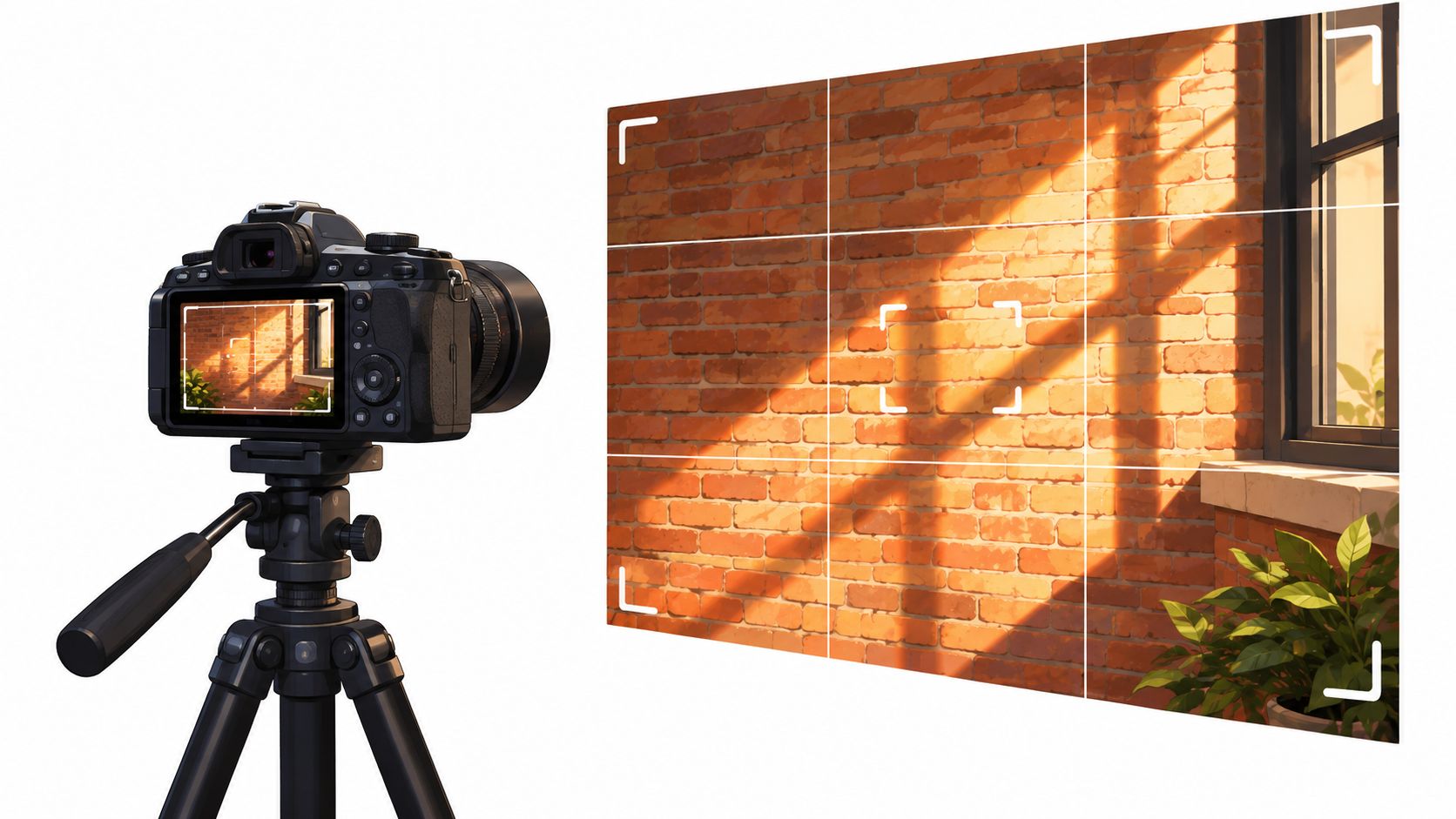
The Rise loft studio offers a relevant setting for this approach. Build a demonstration around available light, then explain what happens when you move the subject closer to the window, change their angle, or introduce a reflector.
Explain the Limits of the Location
A character-rich interior isn't automatically an easy place to shoot. Bright windows can compete with darker backgrounds, mixed lighting can complicate color, and an interesting wall can distract from the subject.
Show those problems rather than editing them out of the lesson. Include camera settings in the description, but explain that viewers must adapt them to their own light, equipment, and creative intent.
Use the following video as a supplementary viewing resource alongside your on-location practice.
For session preparation, consult the loft studio photography guide. Confirm access, equipment needs, permissions, and any restrictions before arriving.
Your best teaching asset may be an imperfect first frame. Showing how you improved it makes the tutorial more credible than presenting only a polished result with no explanation of how you got there.
6. Executive Offsite and Meeting Playbook
Start with the decision a team needs to make. Then explain how to choose a room, prepare participants, and structure the conversation around that decision.
A leadership team reviewing priorities needs a different setup from a workshop group mapping a customer experience. Content that acknowledges those differences is more helpful than a generic tour of comfortable chairs and presentation screens.
Freeform House's Hall of Fame Room, Freeform Room, Executive Room, and Thomas Room give you named settings for a practical room guide. Verify each room's current layout, capacity, equipment, and booking terms rather than assigning uses based on its name.
Build Around a Clearly Labeled Scenario
For a hypothetical strategy session, show the agenda, a blank decision log, and the materials participants should review beforehand. Explain who facilitates, who records decisions, and who owns follow-up.
A meeting room can support focused work. It can't replace a clear question, prepared participants, or someone willing to make a decision.
A grounded-theory study of coworking spaces identified physical environment, social dynamics, and personal-development opportunities as connected influences on user buy-in and community value. Apply that distinction carefully: show the interaction you're facilitating, not merely the furniture around it.
Offer a downloadable agenda template with fields for decisions, owners, and unresolved issues. Explain catering arrangements as logistics, not as evidence that the meeting will succeed.
Use real meeting examples only with permission and sufficient anonymization. When you don't have a documented example, a transparent demonstration is better than an invented client success story.
7. Hybrid Work Productivity Series
Home isn't always the wrong place to work, and a premium workspace isn't always the right one. A useful hybrid-work series helps people choose an environment for the task rather than treating coworking as a universal answer.
For example, a designer might reserve a shared workspace for collaboration while keeping confidential review work at home. A consultant might use a bookable room for an important client conversation, then handle routine administration elsewhere.
Show the trade-off explicitly. Travel, setup, privacy, background noise, and opportunities for interaction all belong in the discussion.
Turn Routines Into Reusable Resources
Build posts around practical artifacts rather than sweeping productivity promises:
Task-location map. Help viewers match concentration, collaboration, and recording work to suitable environments.
Arrival routine. Demonstrate how to prepare files, silence notifications, and define a realistic stopping point.
Communication template. Show how to tell colleagues when you're available and where decisions should be documented.
End-of-session review. Record what helped, what didn't, and what needs a different setting next time.
Don't promise automatic belonging because people share an address. In a peer-reviewed study of coworking communities, users strongly endorsed the supportive-community description in only three of the 13 spaces studied.
That makes introductions, recurring gatherings, and visible participation better subjects than vague claims about community. Film an actual collaborative exchange with consent, or explain how a host helps newcomers meet relevant people.
Your series should help viewers make a working decision, even when that decision is to stay home.
8. Local Restaurant and Coffee Partner Pairing Content
Pair a local food story with a real work occasion. A barista can explain a drink while a host discusses a morning planning session; a restaurant owner can describe a menu suitable for a private gathering.
Freeform House's curated restaurant and coffee partnerships offer a practical angle because members can order meals and beverages on demand without an extra delivery charge. Confirm current partners, ordering arrangements, availability, and applicable terms before publishing anything viewers may rely on.
The content should still be useful if someone removes the venue branding. Explain what makes the food appropriate for the occasion, how it's served, and what the host needs to arrange.
Give the Partner Editorial Space
Ask about the craft. Let the chef or barista explain preparation, ingredients, or serving considerations in their own words.
Show the order. Photograph the food as delivered, without implying that styling props are included.
Confirm permissions. Get approval for photographs, attributed quotes, and footage inside the partner's business.
Provide a next step. Tag the business and link to its current menu when you have the correct address.
Commercial transparency matters. Disclose complimentary products or paid arrangements, and don't describe a partner feature as an independent review if it isn't one.
There's a relevant discovery context: DataReportal's Digital 2025 report found that 50% of adult social-media users visited social platforms to learn about brands and their content. Use that opportunity to answer practical questions, not to post another overhead coffee photograph.
9. Downtown Jenks Heritage and Building History Series
A historic interior gives you texture. A verified history gives you a story worth publishing.
Freeform House occupies a restored 1920 building, but don't fill gaps in its past with assumptions about former tenants, architectural intentions, or neighborhood events. Consult local archives, historical organizations, property records, and people with firsthand knowledge before assigning dates or uses to particular rooms.
Separate the Building From the District
The wider setting has its own documented history. The Ten District's downtown Jenks account describes exactly ten blocks extending west from the Arkansas River to the former Midland Valley railroad tracks.
That's a useful starting point for an orientation film, a walking conversation, or a visual essay about the relationship between the river, downtown businesses, and the building. It doesn't establish the history of every property within those boundaries.
Editorial safeguard: Label archival evidence, personal recollections, and your own interpretation separately. A compelling memory isn't automatically a verified date.
For a practical episode, photograph a surviving architectural detail, investigate what records say about it, and interview someone qualified to explain the context. Place old photographs beside current images only after checking reproduction rights and confirming that they show the location claimed.
Avoid artificially aging new photographs in ways that could make viewers mistake them for archival material. Keep color, texture, and people realistic.
A dedicated building-history page can collect the verified material and invite residents to contribute leads. Treat those submissions as starting points for research, not permission to publish every story as fact.
10. Live Expert Q&A and Community Workshop Sessions
The strongest workshop topic is often a question people already ask at the front desk, after an interview, or during a member conversation. Turn that recurring question into a focused session with someone qualified to answer it.
A local accountant could discuss preparing questions for a business adviser. A photographer could demonstrate portrait preparation. A founder could explain how they evaluate a potential collaboration, while clearly separating personal experience from universal advice.
Collect questions in advance so the expert can prepare and the host can identify sensitive subjects. During registration, explain whether the session will be recorded and how audience participation may appear afterward.
Produce for the Room and the Replay
Define the outcome. Tell participants what they should be able to understand or prepare by the end.
Capture clean audio. Repeat audience questions into a microphone rather than relying on distant room sound.
Moderate actively. Redirect sales pitches, protect private information, and distinguish general education from individualized advice.
Plan the follow-up. Offer the relevant worksheet, replay, or invitation promised during the session.
HubSpot's video marketing report found that 83% of surveyed video marketers used short-form video. That makes short excerpts a relevant publishing option, not a reason to cut every answer into fragments.
Preserve qualifications and context when repurposing. An accurate clip that answers a narrow question is better than an attention-grabbing edit that changes the speaker's meaning.
Community becomes visible through these exchanges: someone asks, someone contributes, and participants leave with something useful to apply.
10 Content Creator Ideas Comparison Guide
Content Idea | 🔄 Complexity & Resources | ⚡ Production Pace | 📊 Expected Outcomes | ⭐ Key Advantages | 💡 Ideal Use Cases |
|---|---|---|---|---|---|
Behind-the-Scenes Podcast Production Series | Medium: recording and editing skills; booth, audio, and video equipment | Batchable; several episodes can be recorded in one session | Builds production credibility and attracts aspiring podcasters | Hands-on expertise; episodes can be repurposed into short clips | Podcast education, studio promotion, and creator-focused marketing |
Main Street Stories: Local Entrepreneur Interview Series | Medium–high: guest coordination, interview preparation, and editing | Moderate; depends on guest schedules and approvals | Builds local trust, shares, and lasting community content | Reciprocal promotion; highlights local businesses and founders | Community-building and downtown business visibility |
“Work With Me” Coworking Livestreams | Low–medium: basic streaming setup, suitable lighting, and noise control | Fast to produce; works best on a consistent schedule | Encourages repeat engagement and showcases the workspace | Low production overhead; creates shared accountability | Reaching remote professionals and demonstrating coworking benefits |
Intimate Event Planning Guides for Weddings and Private Parties | Medium: venue research, accurate details, and guide or video production | Moderate; guides can be created by event type | Reaches people planning events and supports booking consideration | Evergreen search value; practical tools can capture leads | Wedding, rehearsal dinner, and private-event promotion |
Photography and Visual Storytelling Tutorials Shot On Location | Medium–high: technical expertise, camera or phone gear, and editing | Moderate; scheduling may depend on light conditions | Builds creative visibility and can attract venue inquiries | Practical, reusable instruction; demonstrates the space as a shoot location | Photography education and creative-space promotion |
Executive Offsite and Meeting Playbook | Medium: meeting expertise, templates, and room information | Moderate; materials can be developed in batches | Supports corporate sales conversations and attracts decision-makers | Useful resources position the venue as a professional meeting space | Executive offsites, workshops, and team strategy sessions |
Hybrid Work Productivity Series | Low–medium: regular planning and differentiated, actionable advice | Fast per post; requires an ongoing schedule | Builds reach and engagement around recurring work challenges | Adaptable across formats; templates add practical value | Reaching remote and hybrid workers and promoting workspace options |
Local Restaurant and Coffee Partner Pairing Content | Medium: partner coordination, current menu details, and usage permissions | Moderate; timing depends on partner availability | Encourages cross-promotion and local dining discovery | Strengthens partner relationships and supports local commerce | Showcasing food options for work sessions, meetings, and events |
Downtown Jenks Heritage and Building History Series | Medium–high: archival research, source verification, and interviews | Slower; research and fact-checking take time | Builds local awareness and may attract press or backlinks | Distinctive stories competitors cannot easily replicate | Local heritage storytelling and downtown visibility |
Live Expert Q&A and Community Workshop Sessions | Medium–high: expert scheduling, promotion, moderation, and event setup | Recurring; each session requires planning | Generates direct interaction and reusable recordings | Community participation; one event can yield multiple content pieces | Member engagement, expert education, and partner visibility |
Executing Your Content Calendar With Intention
Choose two or three complementary formats rather than trying to launch every idea at once. An interview series, a practical tutorial, and a recurring workshop can serve different audience needs without requiring unrelated production systems.
Start with the business outcome. If you want qualified inquiries, publish explanations that help prospective customers recognize a problem and understand the next step. If you want member participation, make the invitation, eligibility, and experience clear.
The conversion problem deserves attention. Small-business survey reporting found that 51% of respondents struggled to convert followers into customers, while 54% struggled to reach the right audience. A busy calendar won't solve either problem unless the content connects a relevant audience to a specific offer.
Organize Production Around the Space
Book dedicated production time and prepare before you arrive. Confirm the room, participants, permissions, equipment, and intended outputs so you're not spending the session deciding what to make.
Your calendar should record more than publication dates:
Audience question. Identify the specific uncertainty the content addresses.
Primary asset. Decide whether the main output is an interview, demonstration, guide, or live session.
Supporting material. Plan photographs, excerpts, captions, and written explanations that add distinct value.
Next action. Connect the piece to an inquiry, registration, download, or relevant conversation.
Review owner. Assign responsibility for accuracy, permissions, accessibility, and final approval.
Batching works best when you group compatible tasks. Record related explanations while the camera and lighting are ready, but don't force unrelated topics into the same visual treatment just because the room is available.
Keep Human Judgment in the Workflow
AI can help organize transcripts, propose outlines, and prepare caption drafts. Adobe and The Harris Poll's creator survey found that 86% of surveyed creators actively used creative generative AI, but adoption isn't a substitute for editorial responsibility.
Check names, claims, quotations, rights, and local context yourself. Don't manufacture testimonials, imply attendance at events that didn't happen, or replace authentic member photography with synthetic scenes presented as documentary evidence.
Finally, review performance against the original purpose. Compare retention, useful responses, registrations, and inquiries; ask prospects how they found you, while acknowledging that attribution is imperfect.
The best ideas for content creators are repeatable without becoming interchangeable. Use your physical environment to capture real expertise, real decisions, and real interaction, then publish with enough discipline that people know why they should return.
Freeform House offers members coworking spaces, meeting rooms, The Rise loft studio, and an in-house podcast booth in downtown Jenks. Visit Freeform House to explore how its workspace and creative resources could support your next interview series, photography session, or community workshop.
Comments