Podcast Production Process from Start to Finish

It's Tuesday afternoon. Your guest has arrived, your notes are open on a laptop, and a render from last week's episode is still running in another tab. You haven't checked the room, the outline is half-finished, and you're trying to decide whether to record video while greeting someone who's never been behind a microphone. The conversation may still turn out well, but the production around it is already costing attention.
A reliable podcast production process gives every task a place and every handoff an owner. It doesn't limit creativity. It keeps preventable setup problems from taking time away from the conversation.
Why a Defined Workflow Changes Everything
A podcast episode is more than a recording session. Someone needs to choose the topic, prepare the host and guest, ready the room, capture clean audio, edit the material, check the finished file, and publish it with useful information. When those tasks have no sequence, small omissions travel downstream. A missing guest introduction becomes an edit problem; a noisy room becomes a cleanup job; an unclear ending can mean a rushed pickup recording.
A Tuesday studio session shows the difference. With a workflow, the host arrives to a booked, prepared room, checks the outline, confirms the guest's name and pronunciation, and records after the equipment is ready. The editor receives labeled files and a note about any retakes. Publishing can start once the final export passes quality control. Without that handoff, the host may be setting up a microphone while the guest waits, then searching through files later to figure out which take was usable.
A 2022 academic study of 16 professional podcast creators found that the production workflow was “remarkably consistent” across genres and organizational settings, typically moving from planning to recording, editing, and publishing. The researchers treated podcasting as a repeatable labor process, not just an informal conversation captured on a microphone. The study of professional podcast production also highlights that creators often combine editorial, technical, management, and publishing responsibilities.
That finding is useful in a studio because the room is only one part of production. A good setup needs to support the work before and after the recording, not just the moment a host speaks.
Think of the workflow as six connected stages: planning, room and technical preparation, recording, editing and mixing, mastering, and distribution with promotion. Each stage should leave the next person with what they need. A short checklist, a named file, and a clear handoff often make a bigger difference than adding another piece of gear.
Practical rule: If the same episode problem keeps appearing, fix the handoff where it begins instead of adding more cleanup later.
Pre-Production Planning That Saves Hours Later
Pre-production is where you make decisions while changes are still cheap. Before a microphone is switched on, you should be able to explain what the episode is about, what the listener should take away, and what needs to happen in the room.
Start with a one-page episode brief. Include the working title, intended audience, central idea, desired outcome, format, and any facts or links that need checking. An interview brief might focus on the guest's expertise and the questions that will bring out specific examples. A solo episode needs a clear argument and supporting points. A narrative show may require a scene list, source notes, and a plan for recorded material.
Next, prepare an outline or script that suits the format. An interview host usually needs a strong opening, a sequence of questions, and follow-ups, not a word-for-word script that makes the conversation sound stiff. A solo host may benefit from written transitions and a scripted introduction, while keeping the main body in bullet points. The point is to reduce wandering without removing room for a useful answer.
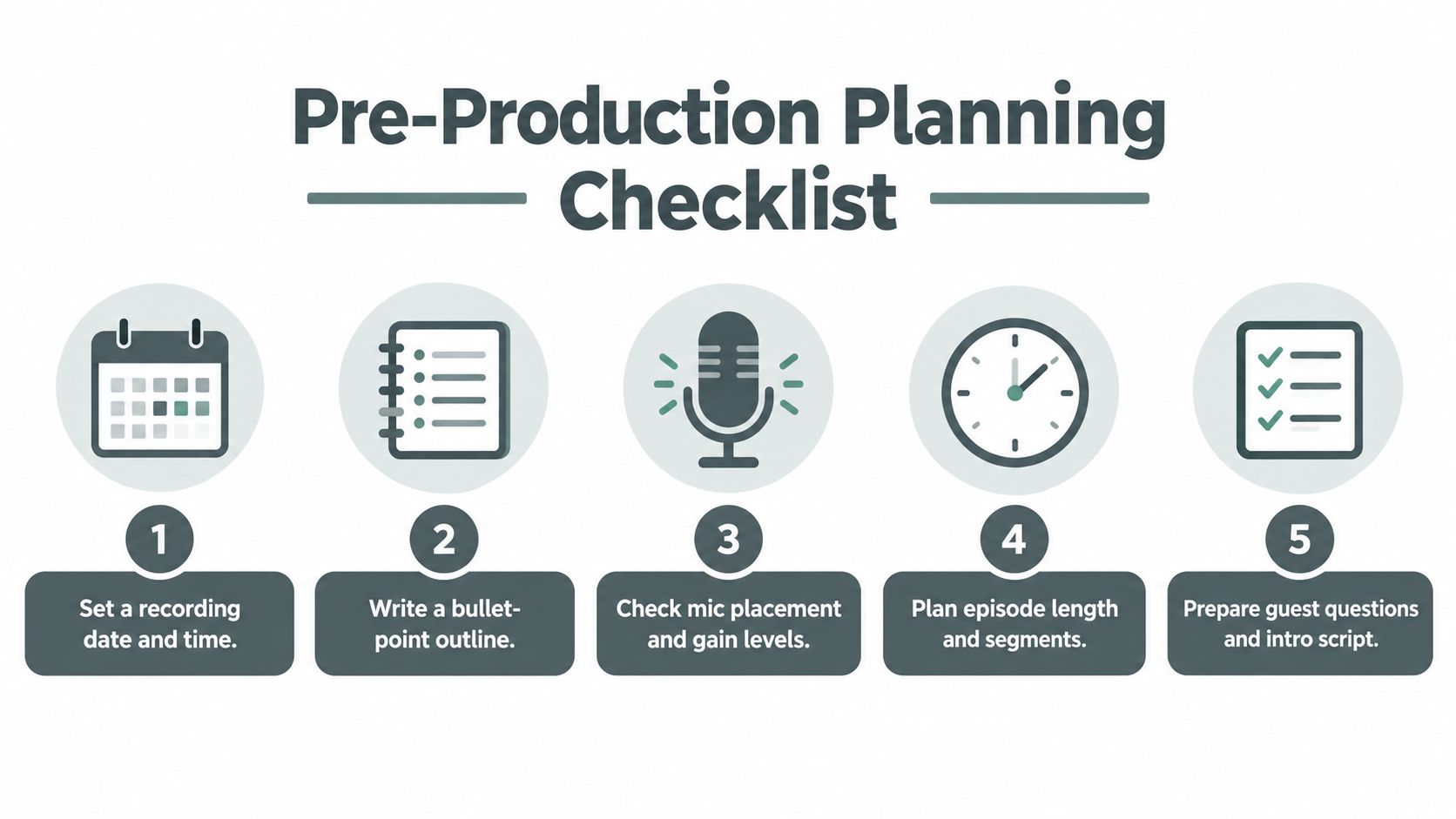
For a guest episode, send a concise prep document with the show's premise, expected format, topics to cover, logistics, and any sensitive subjects to avoid. Confirm the guest's name, role, pronunciation, arrival time, and whether they're joining in person or remotely. Book the room and allow time for setup and a quiet check before the conversation begins.
Make “ready to record” concrete
The day before the session, check that:
The brief is clear: You can state the episode's purpose in a sentence.
The outline is usable: It gives you a route through the conversation without scripting every response.
The guest is prepared: They know the format, location or connection details, and what to expect.
The room is booked: The space supports the recording plan, including any video decisions.
The session is practical: Equipment, power, files, and necessary permissions are accounted for.
Don't turn planning into a second production. A short, useful outline beats a sprawling document that no one reads. When the host, guest, and studio team know what's happening, the recording can focus on the material rather than last-minute logistics.
Recording in the Studio With Confidence
A dependable recording comes from repeatable habits, not from buying the most expensive microphone. Before recording, set the microphone at a comfortable, consistent distance, keep the gain low enough to avoid overload, and check that the host can hear the guest without turning the headphones up uncomfortably. Stable positioning matters: a guest who leans toward and away from the mic can sound inconsistent even in a well-equipped room.
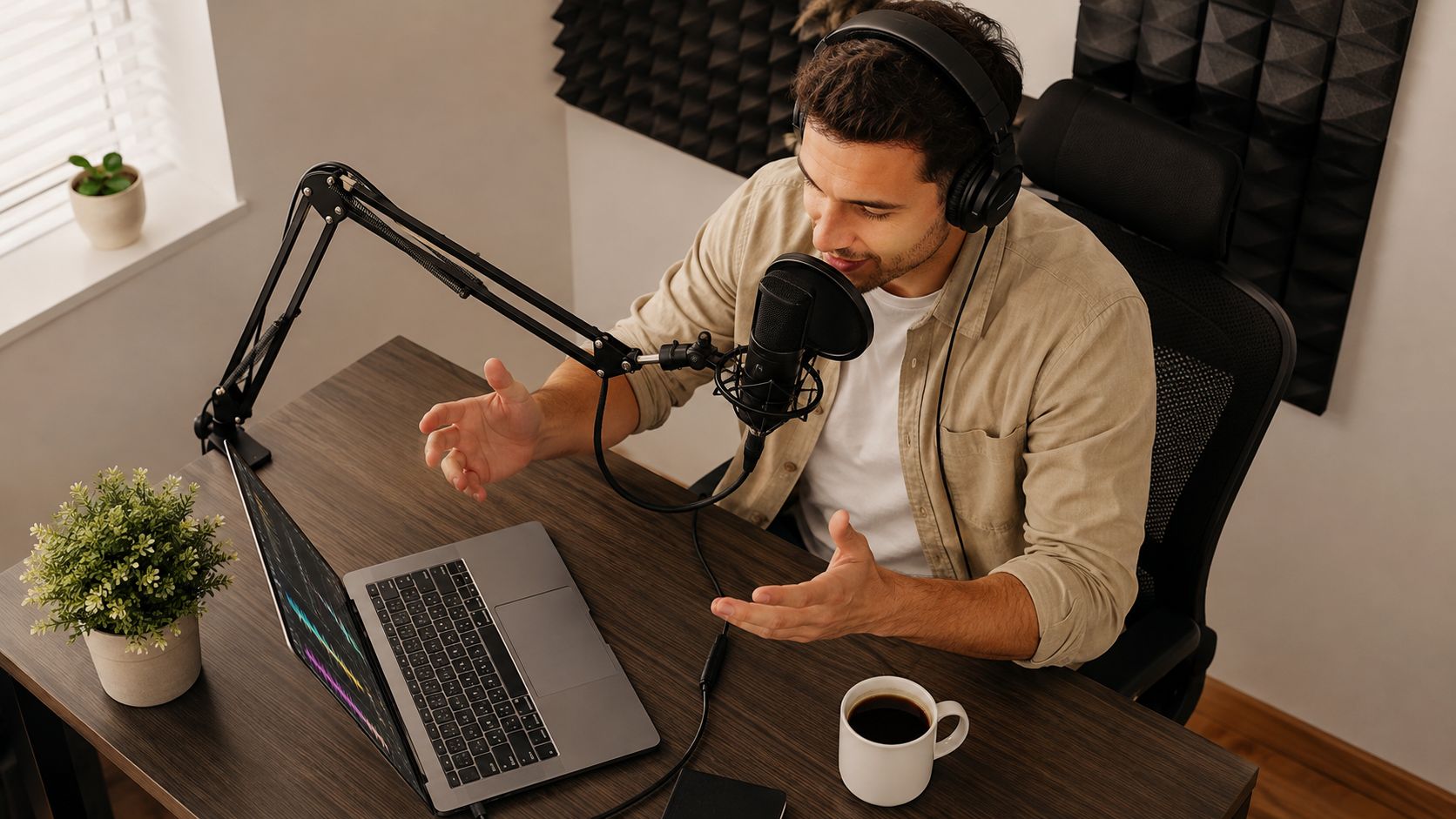
An enclosed, treated podcast booth makes those checks easier to repeat. Soft surfaces and sound treatment help control reflections, while a consistent setup reduces variation between sessions. A quiet room won't fix a host who speaks off-axis or bumps the table, but it gives the editor cleaner material to work with.
Use a short recording routine
Before the guest arrives, confirm the right microphones and inputs are selected, headphones work, and the recording software is capturing the intended tracks. Record a brief test and listen back. This catches obvious problems, such as a muted input or a distracting hum, before they affect the full conversation.
Once everyone is seated, explain the microphone position and ask guests to keep their hands away from the stand. Set headphone levels so people can hear clearly without raising their voices. If the host needs to adjust a mic or take a sip of water, pause instead of speaking through the movement.
A comfortable guest gives you better material than a guest who's trying to perform for unfamiliar equipment.
Roll a little room tone, then record the conversation. Keep the opening relaxed, and don't stop the session for every stumble. A brief pause gives the editor a clean place to work; a slate or verbal marker can identify a retake without forcing the group to restart the entire exchange. If the system supports a backup recording, use it.
The following video offers a visual reference for thinking about the booth and recording setup.
After recording, note any retakes, uncertain names, edits to make, or moments that could become clips. Label and save the audio files before leaving the room. That small handoff note saves the editor from guessing what happened during the session and helps preserve the host's time for the next episode.
Editing and Mixing for a Clean Listen
Editing turns raw conversation into a coherent episode. Work in layers so you don't polish material that may later be cut. First, listen for the story and structure. Remove sections that distract from the point, tighten long detours, and move a segment only when the change improves the listener's understanding.
Once the rough cut works, clean up the dialogue. Address distracting mouth noise, repeated words, awkward gaps, and technical interruptions, but don't erase every natural pause or conversational imperfection. Overediting can make an interview sound unnatural. Keep the guest's meaning intact, and avoid using edits to imply they said something they didn't.
A useful order of operations
Build the rough cut. Arrange the opening, main conversation, transitions, and closing. Check that each section earns its place.
Repair dialogue. Remove clear distractions and smooth edits with short fades where needed to prevent clicks.
Balance voices. Match levels between host and guest before adding effects. If one voice sounds thin or boomy, use corrective EQ carefully rather than making broad changes by habit.
Shape dynamics. Controlled compression can help tame level differences, but too much makes speech sound strained or raises room noise.
Add music and transitions. Use a music bed only when it supports the show. Keep it under speech without competing for attention, and make ads or transitions feel intentional.
Mixing is easier when the editor solves problems in the right order. A voice that's too quiet may need a level adjustment before EQ; a harsh cut may need a fade rather than a noise-reduction plugin. If you can't explain what a processing step is fixing, bypass it and compare.
The rough cut is ready for mixing when the episode's sequence makes sense, unnecessary sections are gone, and the host no longer needs to make major structural decisions. Keep a separate list of unresolved issues so the final quality check is focused. A clean, consistent mix usually comes from careful listening and modest adjustments, not from stacking effects.
Mastering and Loudness Targets That Travel Well
Mastering is the final technical check before delivery. It helps an episode play consistently across headphones, car speakers, smart speakers, and listening apps. Two measurements matter: LUFS, which estimates perceived loudness across the program, and true peak, which helps identify inter-sample clipping that a regular digital peak meter may miss.
The right target depends on where the audio is going. Spotify's published podcast-ad specification uses -16 LUFS with a ±1.5 LU tolerance and a -2.0 dBTP true-peak ceiling. The broadcast framework EBU R 128 recommends -23 LUFS, with a normal production and quality-control tolerance of approximately ±0.2 LU and a wider practical tolerance of ±1 LU in some workflows. These specifications serve different delivery contexts, so don't treat one target as a universal rule. EBU R 128 describes the broadcast loudness framework.
A 2024 peer-reviewed survey of 1,073 podcasters in Austria, Germany, and Switzerland found that recording and technical production consumed an average of 44.4% of weekly podcasting time, or roughly 2 hours and 42 minutes per active podcaster. The survey of podcasters' work and production time helps explain why a repeatable technical workflow matters. It's a regional finding, not a figure to assume applies to every market.
Check the complete episode
Measure the full export, including the introduction, music, advertisements, and closing. If you master only to sample peaks, the episode may still sound too quiet or too loud after platform normalization. On the other hand, forcing the signal through excessive limiting can introduce distortion and make speech tiring to listen to.
Use this sequence for quality control:
Measure: Check integrated loudness on the complete program.
Correct: Adjust the mix if the overall level or balance is off.
Limit: Keep true peaks below the required delivery ceiling.
Remeasure: Run the meter again after all edits and inserts.
Export: Listen to the finished file and confirm the correct version is ready to publish.
Presets can keep recurring settings consistent, but they can't account for a changed edit, inserted ad, or different music bed. Measure each final export.
Choosing Audio, Clip, or Full Video Production
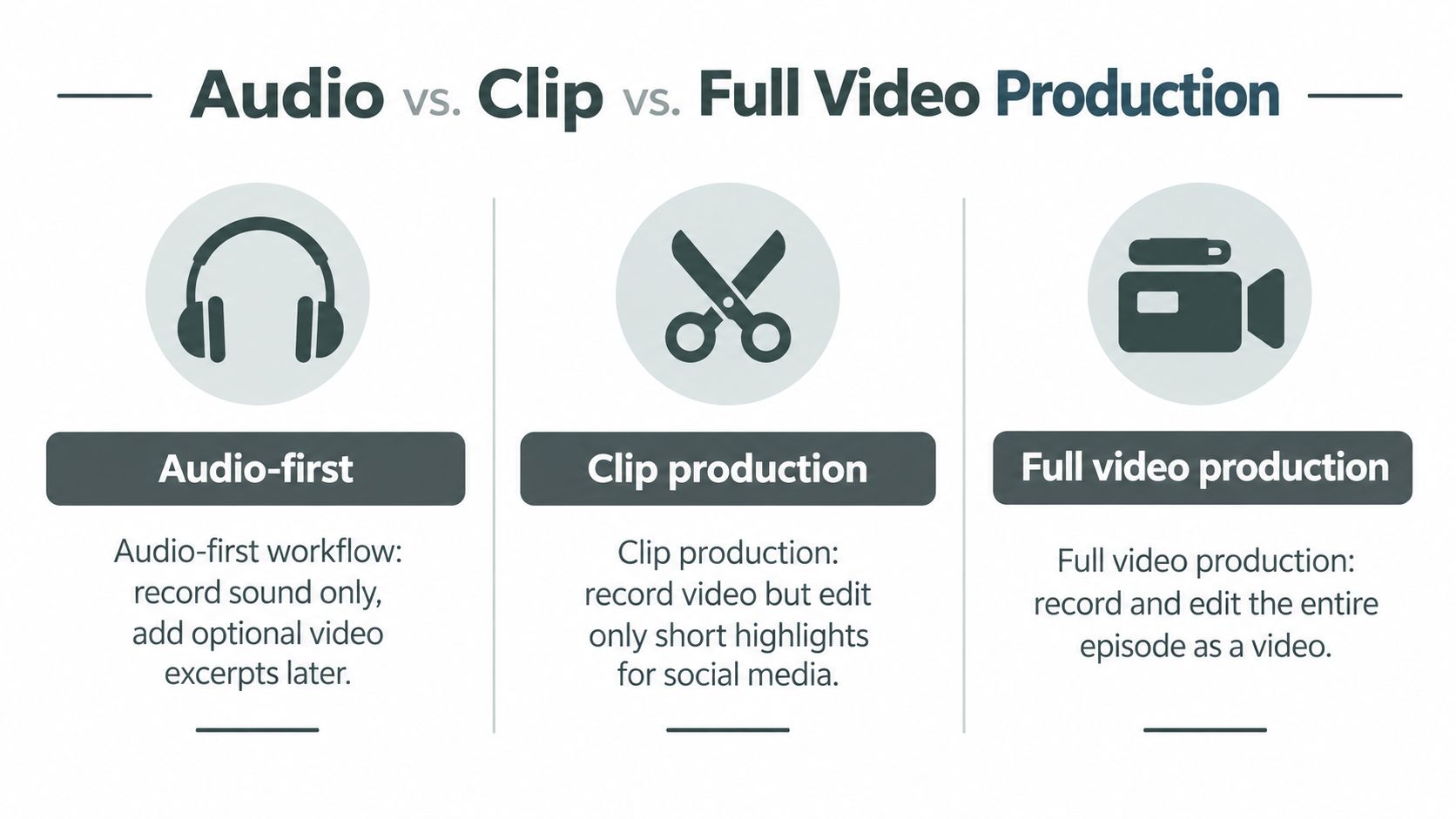
Video can give a show useful material for visual platforms, but it also creates production work. The right choice depends on the audience, discovery channels, guest format, and available editing capacity. Recording video by default, then figuring out what to do with it later, can leave you with a pile of footage and no sustainable process.
Model | What you produce | Main trade-off |
|---|---|---|
Audio-first | Record and publish the audio episode. | Simple capture and post-production, with fewer visual assets for promotion. |
Audio with video excerpts | Record video where practical, then edit selected highlights. | Adds camera and lighting setup, but limits the video edit to chosen clips. |
Full video | Record and edit the complete episode as a video. | Supports a full visual show, with more footage to review and edit. |
The 2025 Independent Podcaster Report found that 45% of audio-only creators spent over six hours producing an episode, compared with 36% of video creators. It also found that 50% of video creators reported monthly production costs of at least $50, versus 28% of audio-only creators. Those findings show a trade-off in that report, not a guarantee that video reduces anyone's workload or that every audio show costs less.
Choose the lightest model that serves the show
Ask three practical questions. Who needs to see the content? If the audience mainly listens, clean audio should lead. Where will people discover it? If short visual moments suit the channels you use, clip production may be enough. Who will handle the extra work? Full video needs a plan for camera framing, lighting, guest appearance, footage review, and edits, not just a camera switched on in the room.
For an executive interview show, a compact visual setup may provide useful excerpts without requiring a polished video edit of the full conversation. A show built around demonstrations or on-camera teaching may have a stronger reason to produce full video. Test the format against your actual capacity, then review whether the visual work is producing useful material for the audience you want to reach.
Distribution, Promotion, and a Repeat-Publish Checklist
Publishing isn't finished when an audio file is uploaded. Your hosting service stores the episode and sends it through the show's RSS feed; platform listings help listeners find it. Before scheduling, check the episode title, description, artwork, and any available transcript or chapter information. These details give people context before they press play and make the episode easier to follow.
Promotion works best when it comes from the episode instead of becoming a separate creative assignment. Pull out a short audiogram, a useful quote for a graphic, a brief video clip if the show's format supports it, and a written post that explains why the conversation matters. Choose the strongest moment rather than trying to extract something from every minute.
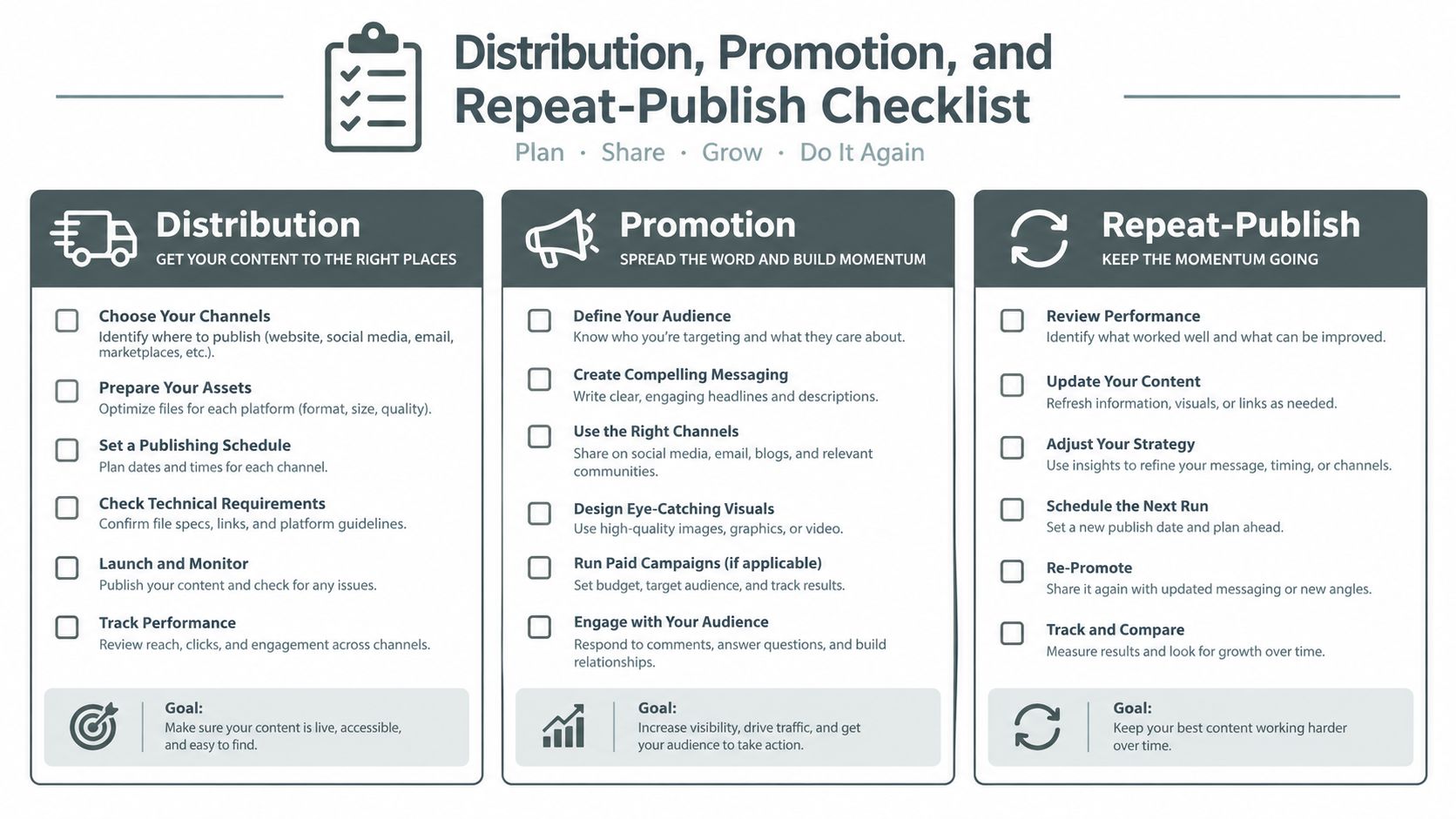
A repeat-publish routine makes those final tasks manageable:
Upload: Add the approved audio file to your hosting platform.
Review: Check the title, description, artwork, and episode details.
Transcribe: Prepare a transcript when it suits your accessibility and publishing workflow.
Clip: Select the strongest excerpt for a short promotional asset.
Schedule: Set the release and promotion dates together.
Repurpose: Publish the written post or quote graphic through the channels your audience uses.
Don't create assets to fill a checklist. A short clip that communicates a specific idea is more useful than several disconnected snippets, and a clear episode description is better than promotional copy that tells listeners nothing about the conversation. Keep the process consistent, then adjust it when the show's goals or available staff change.
Freeform House offers members co-working spaces, meeting and event rooms, and an in-house podcast booth for recording and producing professional content in downtown Jenks. If you're building a dependable podcast production process and need a workspace that supports both recording and collaboration, visit Freeform House to explore the club.
Comments