How to Run Effective Team Meetings That Boost Productivity

Effective team gatherings thrive when you focus on three pillars: clear objectives, a tight agenda, and defined roles. Nail those, and you could trim a 60-minute weekly sync down to 30 minutes, driving decisions instead of circling back later.
All images in this guide are authentic photographs showcasing Freeform House's vibrant spaces—no clip art here. Nestled in the heart of Jenks, Oklahoma’s dynamic 10 District downtown, Freeform House is a premier, membership-based club inspired by SoHo House, offering more than just a social venue. Members enjoy co-working areas and a collaborative community hub, making it the central gathering spot for fostering creativity and connection in our local community.
Quick Guide To Effective Team Meetings
You don’t need a complex framework—just a simple roadmap that keeps everyone on track and outcomes at the forefront.
Define objectives so every attendee knows what success looks like.
Craft an agenda with only 3–5 talking points to avoid scope creep.
Assign roles—facilitator, timekeeper, note-taker—to keep the meeting moving.
Marketing Team Case Study
Our marketing crew at Freeform House was stuck in a sluggish 60-minute roundup each week. We capped participants at 5, enforced a strict timer, and suddenly our syncs finished in 30 minutes.
Each session kicked off with a quick two-minute check-in question, swapping facilitators every week to share ownership. The energy shot up, and decisions came faster.
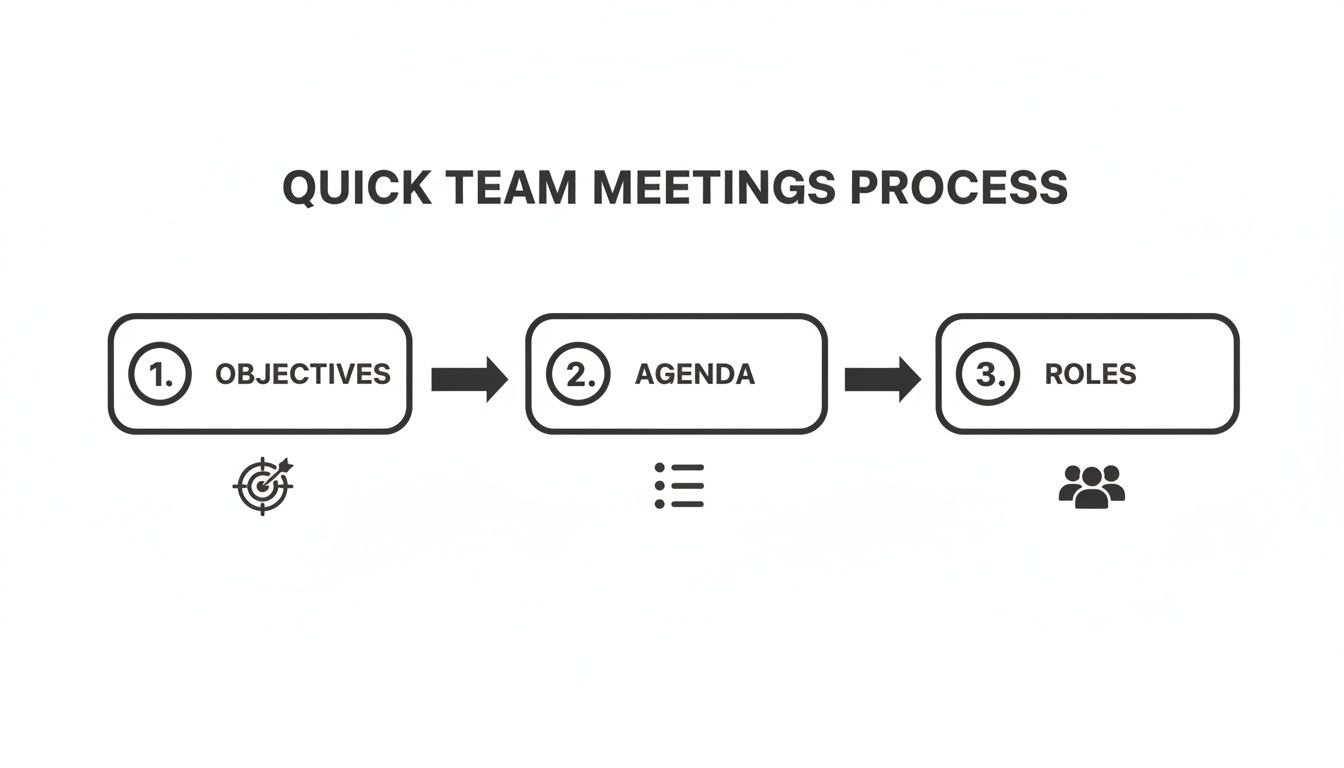
That graphic illustrates how objectives, agenda and roles weave together into a lean, focused process.
That said, many organizations spend 15% of their workweek in meetings, yet only 11% of that time is truly productive. That inefficiency costs the U.S. economy about $37 billion every year. For a deep dive, read the report by The Treetop.
Core Elements Of Effective Team Meetings
Below is a snapshot of the three foundational practices that turn meetings into decision-making powerhouses.
Practice | Why It Matters | Key Action |
|---|---|---|
Objectives | Aligns team focus | Draft a clear purpose statement |
Agenda | Prevents time waste | Limit topics to three to five items |
Roles | Keeps momentum consistent | Assign facilitator, timekeeper, note-taker |
Even small tweaks—like rotating the facilitator or tightening your agenda—add up quickly.
Rotate the facilitator each session to share ownership.
Kick off with a two-minute check-in to boost engagement.
Close by confirming the next action item so nobody leaves guessing.
To keep momentum high beyond meeting rooms, check out our 7 Unforgettable Team-Building Activities for Small Groups. Consistent application of these core elements will turn your regular catch-ups into powerful decision-making sessions.
Setting Clear Objectives For Every Meeting
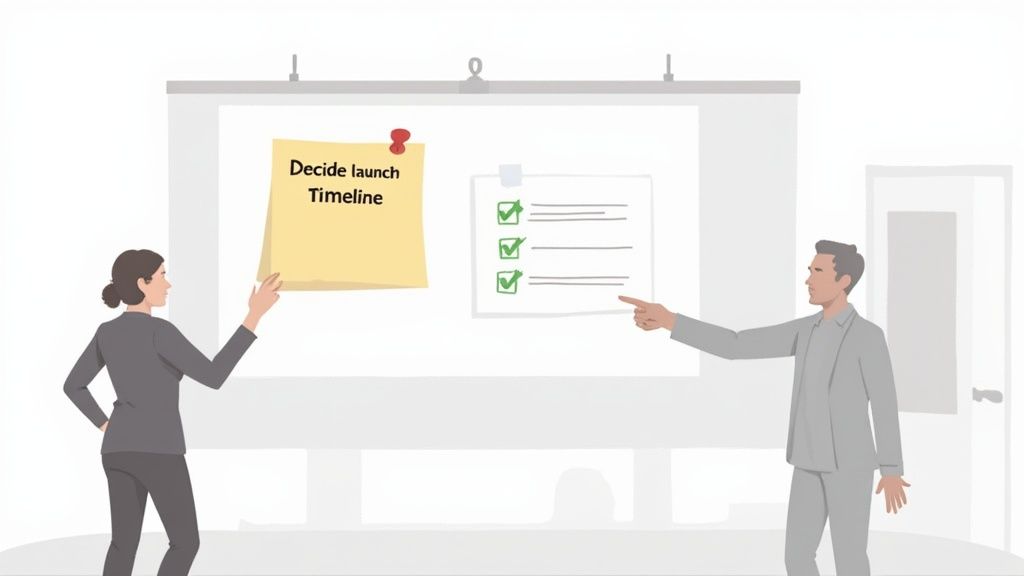
Think about the last meeting that dragged on without clear direction. When you spell out exactly what needs to happen, conversations stay sharp and energy stays high. Clarity isn’t just a nice-to-have—it sets the stage for real progress.
Craft objective statements that pinpoint the desired result.
Check in with a quick chat or message to confirm everyone’s on the same page.
Tailor objectives to concrete goals—launch dates, budget sign-offs, or user experience decisions.
For instance, one of our software squads at Freeform House stopped treating daily stand-ups as general progress updates. Instead, they focused on locking in tasks for the next sprint. That simple shift trimmed their meeting from 10 minutes to 5—a 50% reduction—and freed up more coding time without losing any context.
Writing Objective Statements
A solid objective reads like a headline: it uses an action verb, names the deliverable or decision, and ties it to a deadline or metric. In seconds, everyone knows what success looks like and who owns it.
Align on launch timeline by Friday afternoon.
Decide on Q3 marketing budget allocation.
Finalize user flow for the checkout demo by next meeting.
Before you hit “Start Meeting,” send stakeholders a brief note with your draft objective. Try prompts like:
“Is this outcome specific enough?”
“What else should we include?”
“Who needs to be present to decide this?”
These quick questions build buy-in, surface hidden concerns, and head off last-minute surprises.
A focused objective can cut meeting time by 50% and boost decision velocity.
Checklist To Test Objective Clarity
Is the desired outcome specific and measurable?
Does it name a clear decision, deliverable, or alignment goal?
Have you confirmed stakeholder agreement in advance?
Will this objective fit within the chosen Freeform House room setting?
Run through these points and you’ll walk into the room knowing exactly who does what—and by when.
Selecting Venue Based On Objectives
Pairing your goal with the right room layout makes all the difference. At Freeform House, each space is designed to support a unique interaction style:
Hall of Fame Room for high-stakes alignment decisions
Freeform Room for creative brainstorming sessions
Executive Room for budget discussions and sign-offs
Thomas Room for intimate team calibrations
Matching the objective to the environment amplifies focus and keeps discussions on track.
Measuring Objective Success
Clarity doesn’t stop when the meeting ends. Track metrics to see how well your objectives landed:
Decision Completion Rate shows how many objectives were met
Average Follow-up Time measures how quickly action items kick off
Meeting Duration Delta tracks minutes saved thanks to sharper goals
Platforms like Asana and Fellow can automate these dashboards. Review the numbers each month to refine your phrasing and timing.
For example, our product team at Freeform House saw a 40% boost in action completion after tightening objective language on a regular cadence. Comparing performance across rooms also surfaces spatial insights—sometimes a simple seating change can shave off meeting minutes.
Small tweaks in wording can yield 20% faster decision turnaround in future gatherings. With precision in your objectives and the right setting, meetings stop feeling like obligations and start driving real results.
Designing Agendas That Keep Teams Focused
An agenda that’s dialled in can turn scattered chatter into clear action. By tackling the most important topics first, you give your team energy when they need it—and avoid decision fatigue as the meeting winds down.
Prioritize items by urgency and complexity, capping key topics at 5
Block out realistic durations, like 10 minutes for status updates
Share pre-reads to shave up to 30% off live presentation time
Sprinkle in a quick check-in or break to keep momentum going. For instance, a creative agency slotted a rapid ideation exercise between alignment and decision phases. They cut brainstorming from 60 to 45 minutes and saw idea output jump by 40%.
Sequence Items For Momentum
Grouping related subjects helps the conversation flow. Start by framing the key decision, then dive into supporting details, and wrap with clear next steps.
Open by stating the main decision to set the outcome
Follow with background or data to inform that choice
Close by assigning tasks and deadlines
In one hybrid session, an engineering team moved routine updates into a shared document and saved live time for troubleshooting. They trimmed group status reports by 25% and boosted active problem solving by 25%.
Embedding pre-reads and reserving live time for debate can boost involvement by up to 25%.
Using Digital Tools For Agendas
A solid digital platform centralizes your agenda, automates reminders, and makes collaboration frictionless. I’ve leaned on Miro for sketching ideas, Asana to track action items, and Fellow for real-time feedback.
Below is a quick overview of top virtual meeting platforms and how they handle agenda management:
Comparison of Meeting Tools for Agenda Management
Tool | Best Use Case | Key Feature |
|---|---|---|
Miro | Visual collaboration sessions | Infinite canvas with sticky note templates |
Asana | Task-driven agenda management | Automated reminders and action tracking |
Fellow | Real-time meeting feedback | Interactive agenda with built-in notes |
Use this snapshot to match each tool’s strengths with your team’s needs.
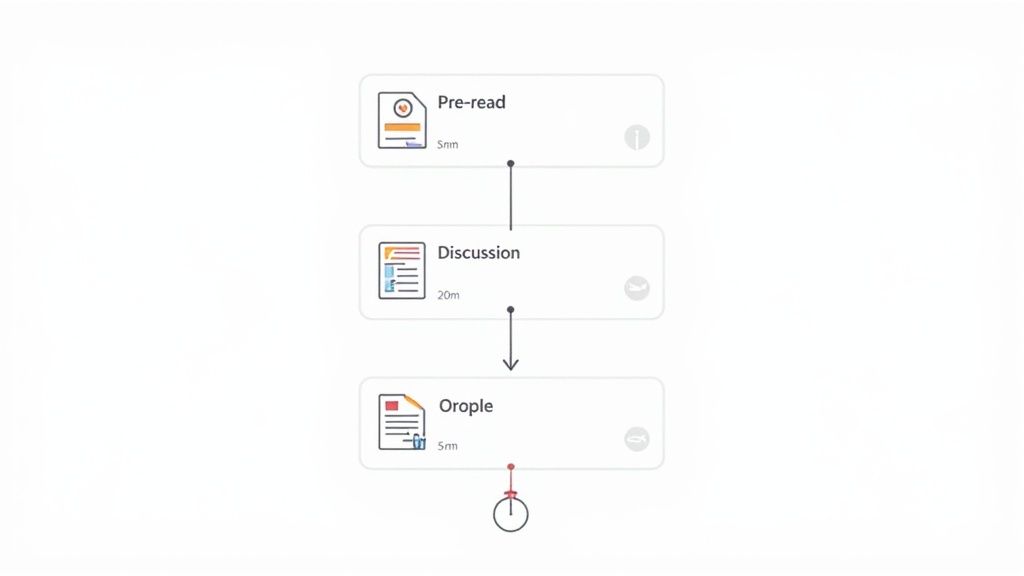
Embedding Pre Reads
Pre-meeting materials set context and prime everyone for a deeper dive. Send slides or briefs 24 hours in advance so attendees arrive ready to discuss.
Flag key sections and questions in the document
Use concise formats—one-pagers or annotated decks
Keep pre-reads under 2 pages to hold attention
A marketing squad at Freeform House trimmed their pre-reads and saw a 20% lift in active contributions. Clear instructions and tight content made all the difference.
Sample Agency Agenda Template
At Freeform House, the creative crew divides their meeting into two focused phases. First, they spark ideas; then they refine and vote.
5-minute warm-up with an icebreaker
30-minute brainstorming sprint with prompts
10-minute clustering discussion
10-minute voting to pick top three concepts
5-minute wrap-up to assign follow-ups
In under one hour, they doubled idea output. Remote participants jump in with Miro sticky notes, so everyone stays engaged.
Tips For Setting Time Blocks
Visible timers and a dedicated timekeeper keep the meeting on track. In Freeform House rooms, you’ll find wall clocks and screens showing a countdown.
Appoint someone to call out remaining minutes
Share the countdown in your video call for hybrid teams
Mute side conversations until their window opens
Consistent timing cuts overruns by 20% and respects everyone’s day.
Managing Surplus Topics
Even the best agendas can invite unplanned items. A simple “parking lot”—whether on a whiteboard or shared doc—captures side ideas without derailing the main flow.
Note parking-lot topics visibly for all to see
Revisit them at the end or in a follow-up email
Assign an owner so nothing falls through the cracks
One nonprofit board used this tactic to finalize funding decisions in 40 minutes instead of an hour, all while honoring every idea.
Assigning Roles To Streamline Meeting Flow
Every gathering runs more smoothly when someone owns the process. A clearly defined driver helps steer conversations, surface decisions, and keep everyone tuned in.
Defining roles upfront isn’t just busywork—it’s the secret sauce for truly effective team meetings. One consulting group saw meeting overruns drop by 30% after they started swapping roles each week and paused for quick role-checks.
Facilitator: Guides the agenda, nudges quieter voices forward, and reins in off-topic tangents.
Timekeeper: Keeps an eye on the clock, signals transitions, and makes sure no agenda item hogs the spotlight.
Note-Taker: Jots down decisions, logs action items, and circulates crisp minutes afterward.
Participants: Show up prepared, deliver updates in under two minutes, and flag side topics for the parking lot.
Facilitator Rotation Strategy
Changing who wears the facilitator hat each week injects fresh energy.
Our squad at Freeform House tried it and discovered two big wins: people stayed sharper and no single voice dominated.
“Swapping the facilitator role each week transformed our meeting rhythm and kept tangents in check.”
Briefing Participants Beforehand
A quick heads-up before the meeting lays the groundwork for success.
Send everyone a brief note 24 hours in advance with clear, role-specific instructions:
Facilitator: Review the agenda, line up key questions, and prep discussion prompts.
Timekeeper: Test your timer app or room clock and plan gentle alerts.
Note-Taker: Open your template, ready to capture decisions and assign follow-ups.
Participants: Distill updates into bite-sized chunks and note any side issues for the parking lot.
Preventing Common Pitfalls
When people go quiet or conversations veer off, momentum evaporates. Defined roles and a quick role-check at kickoff keep everyone engaged.
Use a parking lot to corral side topics without derailing the main flow.
Issue | Role-Based Solution |
|---|---|
Silent Attendees | Round-robin prompts led by the Facilitator |
Off-Track Topics | Timing alerts from the Timekeeper and a visible parking lot |
Measuring Role Impact
It pays to keep score. Track your meeting length and the rate of completed actions to gauge how roles are working.
After we introduced rotation, overruns fell by 30%, and decisions happened faster.
Key Takeaway Clear roles and regular rotation cut overruns by 30% and sped up decision-making.
Role Rotation Example
Imagine a four-week cycle where each person steps into every role:
Week One: Facilitator
Week Two: Timekeeper
Week Three: Note-Taker
Week Four: Agenda Owner
Tips to make it stick:
Start with volunteers to build comfort.
Carve out five minutes at the end to swap insights.
Tweak the cycle based on meeting size and objectives.
This predictable pattern sharpens everyone’s facilitation skills and keeps sessions lively.
Next Steps For Your Team
Look at your next meeting and assign roles in advance.
Use the Freeform House roles template to bullet-point responsibilities in an email.
Run the rotation for a month and record the results in your dashboard.
Common Role Feedback Questions
After each meeting, ask for quick feedback on clarity and support:
Did your assigned role feel clear and manageable?
Was the facilitator effective at guiding the discussion?
Did the timekeeper help keep everything on track?
Did the note-taker capture all critical action items?
How engaged did you feel as a participant?
Clear roles boost accountability, engagement, and focus. Try these practices in your next session to see the difference.
Use Freeform House’s built-in timers, wall clocks, and flexible layouts to support each role. Make every meeting count—start elevating your gatherings today at Freeform House.
Facilitating Inclusive In-Person and Remote Sessions
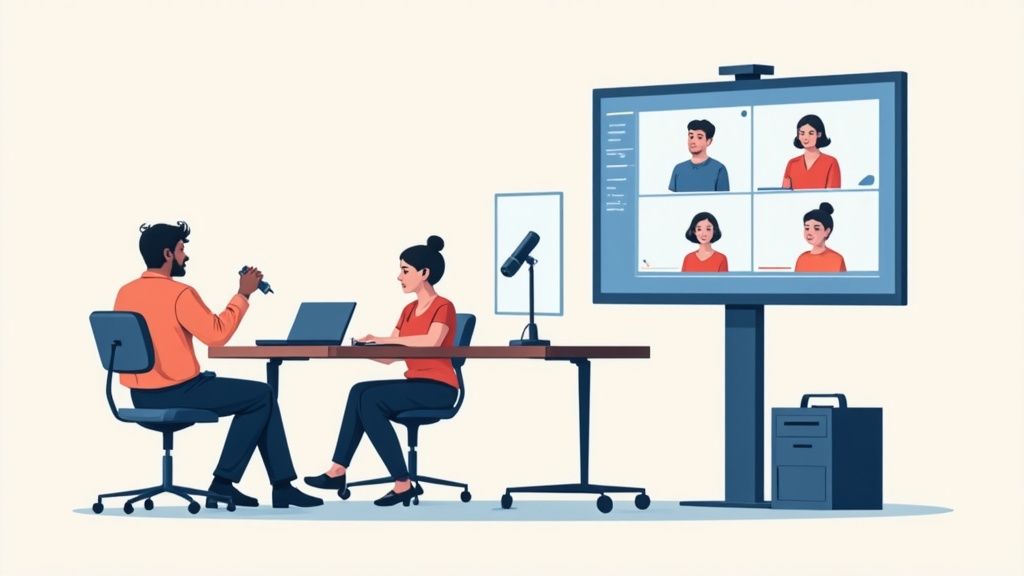
At Freeform House, our co-working lounge is arranged in modular pods that naturally draw small teams together. Soft seats and communal tables encourage everyone to share ideas without the noise of side conversations going unnoticed. It’s a simple layout tweak that ensures every voice—whether in the room or on screen—gets heard.
Before you dive into your agenda, run a quick tech check. Confirm that cameras, mics, and headphones are working. A five-minute setup prevents audio drop-outs and keeps remote participants fully engaged.
Best Hybrid Technology Practices
Breakout Rooms for targeted brainstorming or cross-department chats.
Live Polls to capture consensus on the fly and tick off decisions.
Shared Whiteboards (for example, Miro) so sketches and ideas evolve in real time.
Our pods link clusters of in-person attendees to large-screen monitors and rock-solid Wi-Fi. Teams can branch off into quieter corners for side projects or stay in the main circle when group alignment is critical. This flexibility matters when discussions shift direction unexpectedly.
We cap stand-ups at 15 minutes—it keeps energy high and ideas flowing. In fact, brief huddles see 91% engagement, while 86% of global meetings now include remote voices. Dive deeper into these stats at FlowTrace.
Enhancing In-Person Layouts
Round tables seat six comfortably and spark direct eye contact. High ceilings and natural light fend off that mid-afternoon slump. When you need a new configuration, rolling tables do the heavy lifting in seconds.
Rise studio pods go a step further with built-in power outlets, privacy screens, and adjustable desks. Audio-dampening panels keep side chatter from bleeding into group work. The result? A distraction-free zone for focus and recording.
Seat remote attendees close to screens so they’re part of the circle.
Reserve central chairs for key decision-makers to reinforce authority.
Hang wall clocks or countdown timers—especially in rooms like the Thomas Room—to keep every segment on track.
Fostering Equal Participation
Good facilitation counters the usual hybrid pitfalls: sidebars that drip away attention and silent screens. Our moderators at Freeform House call on team members by name and rotate turns every few minutes. It holds everyone accountable and fuels lively exchanges.
Check out our guide on booking the right space for your next session at Freeform House Jenks meeting room rental for tips on matching room features to your agenda.
“Inclusivity in hybrid meetings starts with small gestures, like spotlighting remote cameras and sharing agendas visually.”
We layer in live polls and Q&A so both in-room and virtual attendees shape the conversation equally. When results pop up on meeting-room screens and chat windows at the same time, everyone sees progress together.
Our Thomas Room AV system auto-detects connections and balances audio levels, so you’re not fussing with cables or settings. That seamless handoff cuts downtime and keeps ideas rolling.
Limit brainstorming and check-ins to 15 minutes to drive focus.
Send minutes straight away—email or your collaboration platform—to keep remote colleagues in sync.
Rotate facilitation duties between in-person and virtual hosts for balanced leadership.
Measuring Success And Follow Up
Right after the meeting, launch a quick poll asking teams to rate inclusivity, clarity, and tech performance on a 1–5 scale. Those insights are your guide for the next session.
Track participation against your benchmarks—if remote input dips below 70%, try a new facilitation trick or tech tool. Over time, these small data-driven tweaks sharpen your approach.
Block out a 5–10 minute follow-up in everyone’s calendars to review action items and any tech hiccups. Freeform House members can claim pods or rooms for these check-ins at no extra charge. Consistent touchpoints keep momentum alive and underscore that every voice matters.
With thoughtful layouts, bulletproof tech checks, and clear engagement metrics, your next hybrid meeting will feel less like a chore and more like real teamwork. Start inclusive meetings today.
Tracking Outcomes And Ensuring Follow Up
Great meetings don’t just wrap up with a quick “thank you.” They finish with a clear record of decisions, named owners, and firm deadlines. Circulating concise minutes within 24 hours turns loose ends into action items—and that’s where true accountability begins.
Capture every decision in a shared document to eliminate confusion.
Assign each task to an owner with a specific due date.
Distribute meeting notes the next day to maintain momentum.
Case Study At Freeform House
In one sprint review inside our Freeform Room, the product squad plastered colorful sticky notes across a public wall. By afternoon, they’d migrated that wall log into a live digital dashboard—columns named To Do, In Progress, Review, Done.
Visual lanes made dependencies crystal clear.
Real-time updates slashed back-and-forth emails by 50%.
Blocked items auto-flagged, preventing unnoticed delays.
“Moving from a whiteboard to a live dashboard changed follow up from a chore into a habit.”— Product Lead
Product Team Dashboard Boost
Next, our product group built a simple status board that highlighted action items and deadlines at a glance. Each card showed a status bar and the owner’s avatar, so nobody wondered who was up next.
This tweak drove a 40% improvement in accountability over eight weeks.
Key Insight Visibility into next steps turns passive notes into active commitments.
Weekly Check Ins
Consistency is your ally. Every Monday morning, we update a public action log that flags outstanding items. During stand-ups, the team glances at this live list and tackles roadblocks immediately.
Review carry-over tasks from previous meetings.
Check in on progress and surface any obstacles.
Reassign or escalate items that stall.
Troubleshooting Missed Tasks
Even the best process hits snags. A quick root-cause survey helps you understand why things slipped.
Unclear task ownership.
Overlapping commitments or calendar overload.
Unexpected technical or resource blockers.
Use feedback to tighten role clarity, rebalance priorities, or shore up resources.
Measuring And Refining Follow Up
Concrete metrics guide continuous improvement. Track these three numbers and adjust as needed:
Metric | What It Tracks | Target Threshold |
|---|---|---|
Completion Rate | Percent of tasks closed | 90% or higher |
Average Follow-Up Time | Hours from meeting end to task kickoff | 24 hours max |
Missed Task Frequency | Tasks carried into the next meeting | Less than 10% |
Collect team feedback on clarity, pace, and update frequency. Then refine your cadence and communication style.
Tools To Automate Follow Up
Integrations ease the grind. Platforms like Asana, Trello, and Slack tie into calendars and trigger reminders without manual nudges.
Tool | Follow-Up Feature | Best Use Case |
|---|---|---|
Asana | Automated task reminders | Complex projects with many moving parts |
Trello | Custom due-date notifications | Visual Kanban workflows |
Slack | Reminder bots and threads | Quick nudges and conversational updates |
Pick the one that aligns with your team’s size, rhythm, and existing stack.
Integrating Other Resources
If you’re looking to offload admin and centralize follow-up analytics, our guide on virtual office setups is a great next step. Check out our guide on virtual office and receptionist services to streamline task management and capture support—so you can zero in on driving outcomes. Small visibility tweaks can spark a 20% faster response rate in future meetings.
Frequently Asked Questions
You’ve probably sat through a meeting where remote attendees drifted off, or the quieter folks never got a chance to speak. Keeping everyone involved—whether they’re in the room or dialing in—takes more than just a solid agenda.
Here are the four biggest hurdles teams face, with quick tactics to tackle each one:
Hybrid Engagement: Run live polls and rotate who speaks next. That little nudge makes remote voices feel just as present.
Agenda Drift: Create a parking lot for side topics. You’ll breeze through your main points and circle back later.
Quiet Participants: Start with a round-robin check-in, or send prompts a day before. It gives everyone a moment to gather thoughts.
Asynchronous Updates: When no real-time decision is needed, share a collaborative doc and set a firm deadline for feedback.
Common Solutions
“A visible parking lot and active polling can lift engagement by 25%, keeping everyone on the same page.”
Parking Lot spots off-topic ideas without interrupting flow.
Live Polls capture consensus in seconds.
Pre-Meeting Prompts let quieter team members craft their thoughts ahead of time.
Question | Quick Solution |
|---|---|
Hybrid Engagement | Live polls + speaking rotation |
Agenda Drift | Parking lot, revisit later |
Quiet Participants | Round-robin check-ins or prep prompts |
Asynchronous Updates | Shared doc with deadline |
Keep this table handy before your next session. Try one or two tactics at a time—then tweak based on what really clicks with your crew.
When To Use These FAQs
Drop this FAQ section into your planning materials. Share it in a pre-read or embed key answers in your slide deck to head off common hiccups.
Pass the FAQ along before the meeting so everyone knows what to expect.
Weave these pointers into your agenda document to stay on track.
Join Freeform House today at Freeform House and transform your meetings.
Comments