Conference Room Small: Maximize Space for Impact and Productivity

Let's be honest, most people overlook small meeting rooms. They're often seen as just a leftover space, but what if they're actually your business's secret weapon? This isn't just about saving a few square feet; it's about creating a space built for focused collaboration and real, tangible decision-making.
These intimate, well-designed rooms are becoming critical assets for modern businesses, especially in a dynamic community like Jenks. As hybrid work becomes the new standard, these spaces serve as vital hubs for connecting your local team with remote colleagues. A thoughtfully arranged small conference room, like the ones we have here at Free Form House, can genuinely boost productivity and foster a real sense of connection.
It's a common frustration. Workplace analytics show that even with offices less crowded, a staggering 40% of employees can spend up to 30 minutes every single day just trying to find an available meeting spot. This points to a huge mismatch between the spaces companies have and what their teams actually need.
Why Smaller is Often Smarter
The truth is, most meetings don't require a massive boardroom. In fact, research consistently shows that 75% of meetings involve three people or fewer. Putting a small group in a large, empty room is not just inefficient; it can actually kill the energy and make people feel disconnected.
A smaller setting naturally encourages more direct interaction. Everyone has a front-row seat, which eliminates that "back-row" effect where people can easily check out.
Here’s why a dedicated small conference room is so effective:
Deeper Focus: With fewer distractions, the conversation stays on track and everyone remains fully present.
Faster Decisions: Small groups tend to get to the point and reach conclusions quicker, turning talk into action.
Smarter Spending: Why pay for cavernous rooms that sit empty most of the time? Optimizing your space to match how your team actually works is just good business.
This shift toward compact, powerful spaces isn't just a hunch; it's a major market trend. The global Conference Room Solutions Market was valued at USD 1.79 billion and is projected to skyrocket to USD 6.40 billion by 2032. This explosion in growth, detailed in reports on hybrid work trends and their market impact, highlights just how high the demand is for efficient collaboration spaces at places like Freeform House.
Designing for Flow and Focus
The physical layout of a smaller conference room can absolutely make or break a meeting. Get it wrong, and you create friction—people shuffling awkwardly past each other, attendees feeling distracted. But when you get it right, a compact space becomes a powerhouse for productivity where every single square inch has a purpose.
Think about the vibe in our Executive or Thomas Rooms here at Freeform House. They're intentionally designed to feel both intimate and professional, maximizing comfort and collaboration. The whole point is to create an environment where ideas flow and focus feels effortless, without the room itself ever getting in the way.
Your Foundation: Choosing the Right Table
The conference table is the centerpiece of your meeting, and its shape completely dictates the dynamic. There's no single "best" option; it all comes down to what you want to accomplish.
Round Tables: These are fantastic for collaborative brainstorming sessions and open discussions. With no clear "head" of the table, it fosters a sense of equality and encourages everyone to jump in. It’s the perfect setup for creative workshops or team-building exercises.
Rectangular Tables: This classic shape is much better for presentations or any meeting with a clear leader. It naturally draws everyone's attention to one end of the room, creating a clear line of sight to a screen or speaker.
This simple decision tree can help you figure out when a small, focused room is exactly what you need.
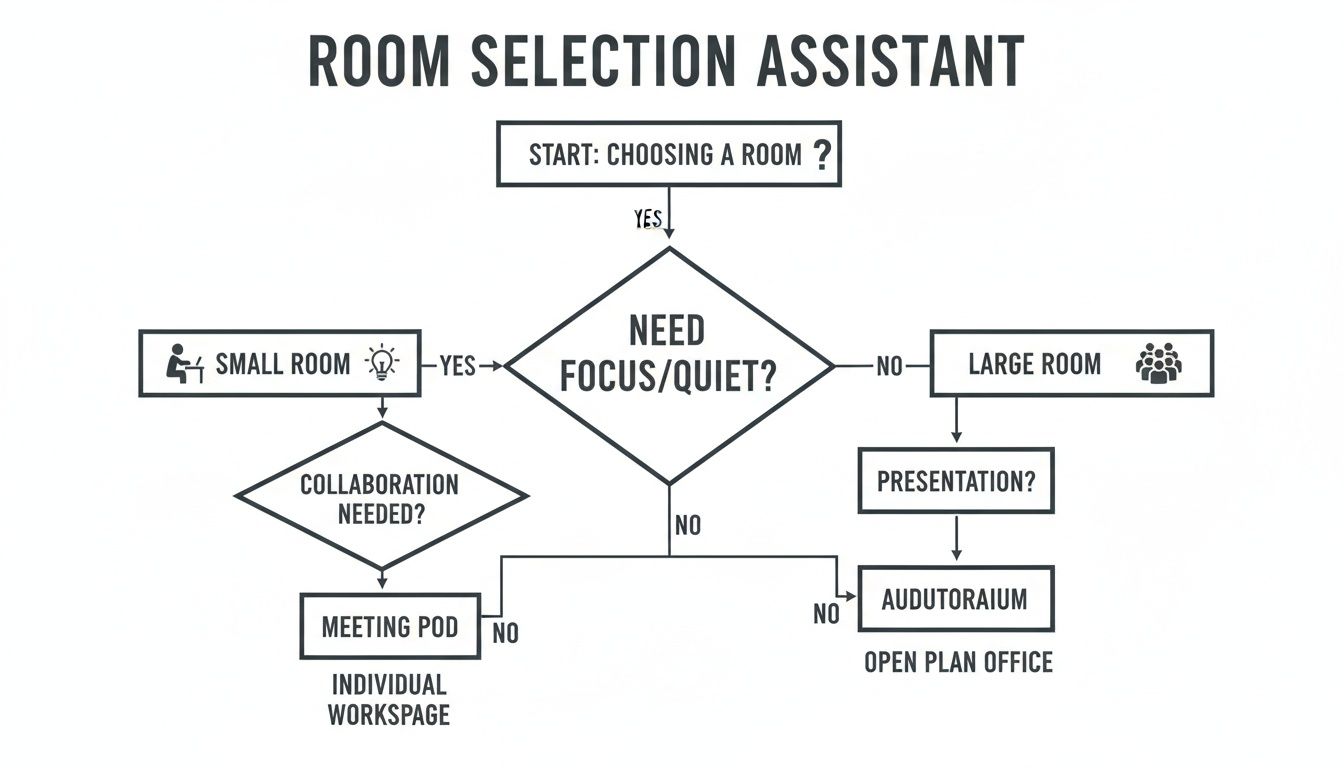
As the chart shows, when the goal is deep focus or a close-knit team sync, a smaller room almost always wins out.
Adapting Classic Layouts for Compact Spaces
Even in a smaller room, you can still use traditional seating arrangements—you just have to be a bit smarter about it. The trick is to prioritize clear pathways and avoid overcrowding so everyone can move around without causing a disruption.
The boardroom layout—a rectangular table with chairs lined up on both long sides—is a classic for a reason. To make it work in a tighter space, opt for slim-profile chairs without bulky arms to save those precious inches. A good rule of thumb is to leave at least 36 inches of clearance behind each chair. This simple step prevents that cramped feeling where people are constantly bumping into each other.
To help you visualize the best fit for your next meeting, here’s a quick comparison of common layouts that work well in smaller rooms.
Small Conference Room Layout Comparison
Layout Style | Ideal Capacity | Best For | Pros & Cons |
|---|---|---|---|
Boardroom | 4-10 | Formal meetings, presentations, leader-led discussions. | Pro: Classic, professional, directs focus.Con: Can feel hierarchical, less collaborative. |
Hollow Square | 6-12 | Collaborative projects, team syncs, training sessions. | Pro: Encourages interaction, everyone is visible.Con: Uses more space, not ideal for presentations. |
U-Shape | 5-10 | Training, workshops, presentations with a focal point. | Pro: Open feel, great for presenter interaction.Con: Some attendees have a side view of the screen. |
Round Table | 3-6 | Brainstorming, informal discussions, small team check-ins. | Pro: Promotes equality and open dialogue.Con: Less space-efficient, not great for presentations. |
Each of these setups has its place. The key is matching the layout to the meeting's objective to ensure the space itself supports your goals.
The U-shape layout, often seen in larger training rooms, can be scaled down beautifully. By using smaller tables or even just arranging chairs in a U, you create an open end that’s perfect for a presenter or a whiteboard. It keeps the inclusive feel while maintaining a central point of focus.
Of course, the right seating is just as crucial as the layout. Ergonomic chairs are non-negotiable for longer meetings, but they don't have to be massive. Look for designs that offer good lumbar support without a huge footprint.
Sometimes, you need more than just a meeting room. For those moments of deep solo work or critical one-on-one conversations, you can discover small private office space for rent that offers a similar focused environment. Ultimately, a well-designed small room is proof that you don't need a massive footprint to get big things done.
Equipping Your Room with the Right Tech
We’ve all been there: the meeting that grinds to a halt because of a tech glitch. In a small conference room, the right technology should feel invisible—an effortless, natural part of the conversation. The whole point is to make connecting with your remote team feel just as easy as talking to someone across the table.
It’s about more than just sticking a screen on the wall and plugging in a webcam. You need a complete ecosystem where high-def displays, crystal-clear audio, and user-friendly video conferencing systems all work together without a hitch.
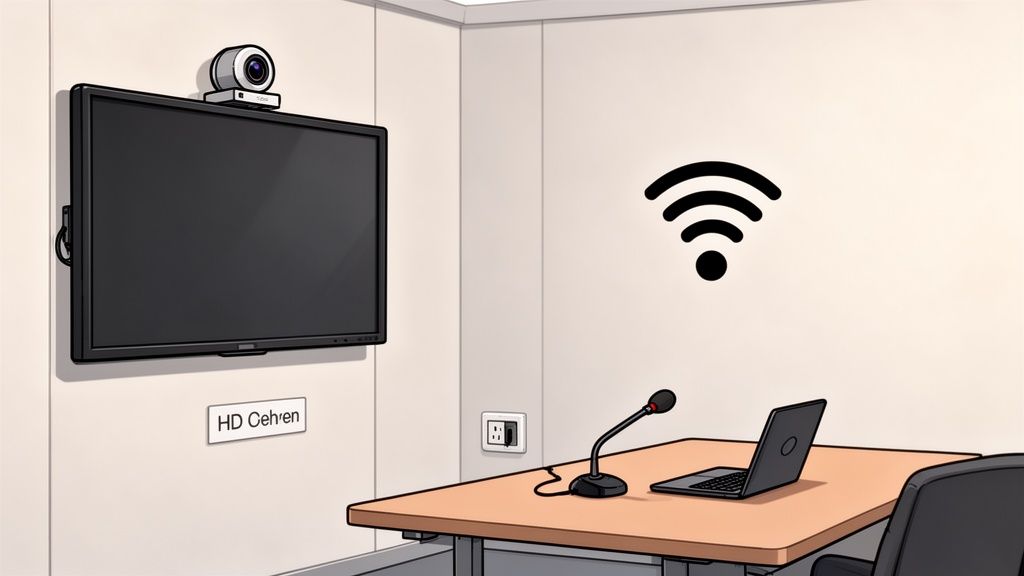
Core Audiovisual Components
For most small meeting spaces, an all-in-one video bar is the smartest way to go. These devices pack a camera, microphone, and speakers into one clean unit, which cuts down on clutter and simplifies setup immensely.
When you're shopping around, here are the features that actually matter:
Wide-Angle Camera: You need a camera with at least a 120-degree field of view. This is non-negotiable. It ensures everyone at the table is actually in the shot without having to squeeze together.
4K Resolution: Even though most calls stream in 1080p, a 4K sensor gives you much better clarity. It also powers features like digital zoom and auto-framing without turning the picture into a pixelated mess.
Beamforming Microphones: This is a game-changer. The tech uses multiple mics to zero in on whoever is speaking, actively filtering out distracting background noise and echo—a common headache in smaller rooms.
Integrated solutions like the Logitech MeetUp or Rally Bar Mini are perfect for rooms built for up to eight people. They deliver professional-grade performance in a compact package that mounts neatly right above or below your display.
Optimizing Camera and Microphone Placement
Even the best gear won’t save you if it’s set up poorly. In a smaller conference room, a few inches in placement can be the difference between looking professional and looking like you’re on a grainy home video call.
Always mount the camera at eye level. This simple trick creates a much more natural and engaging view for everyone dialing in. If the camera is too high, it feels like it's looking down on the group; too low, and you get that classic unflattering "up-the-nose" angle nobody wants.
Your audio quality is arguably more important than your video. People will forgive a slightly grainy picture, but they'll tune out immediately if they can't hear what's being said. A central, high-quality microphone is non-negotiable.
This is especially true if you’re creating any kind of professional content. If your team is exploring high-fidelity audio for other projects, it's worth checking out our guide on finding a podcast studio rental near me for more tips on achieving that broadcast-quality sound.
The Overlooked Essentials
Beyond the big AV components, a few foundational pieces are absolutely critical for a smooth meeting. These are the details you don’t notice until they fail you at the worst possible moment.
Reliable High-Speed Wi-Fi: Video conferencing is a bandwidth hog. A dedicated, stable network connection is a must to avoid frozen screens and dropped calls.
Accessible Power Outlets: Make sure there are plenty of power outlets and USB ports right at the table. Nothing kills momentum faster than a laptop dying mid-presentation.
Simple User Interface: The system has to be dead simple to use. A one-touch join feature, often through a tabletop controller like the Logitech Tap, lets people start meetings on time without fumbling with cables and settings.
Investing in these kinds of tech-forward spaces is becoming essential. Small conference rooms are projected to capture over 34% of the total Conference Room Solutions Market revenue, with the market growing at a CAGR of 14.5% from 2025. With platforms like Microsoft Teams Rooms surpassing 1 million active deployments globally, a well-equipped small room is just smart business. You can explore more on this trend by reading the full report about conference room solutions market growth.
Setting the Mood with Acoustics and Lighting
Beyond the layout and tech, two subtle but powerful elements shape the success of every meeting: sound and light. Getting these right is the difference between a space that feels distracting and one that feels focused and professional. It’s all about creating an environment where conversations are clear, confidential, and comfortable.
Poor acoustics are a common headache in smaller rooms. When you have hard surfaces like glass walls and bare floors, sound just bounces around, creating a distracting echo. This makes it tough for remote participants to follow the conversation and, just as importantly, compromises privacy. You want your important discussions to stay in the room.
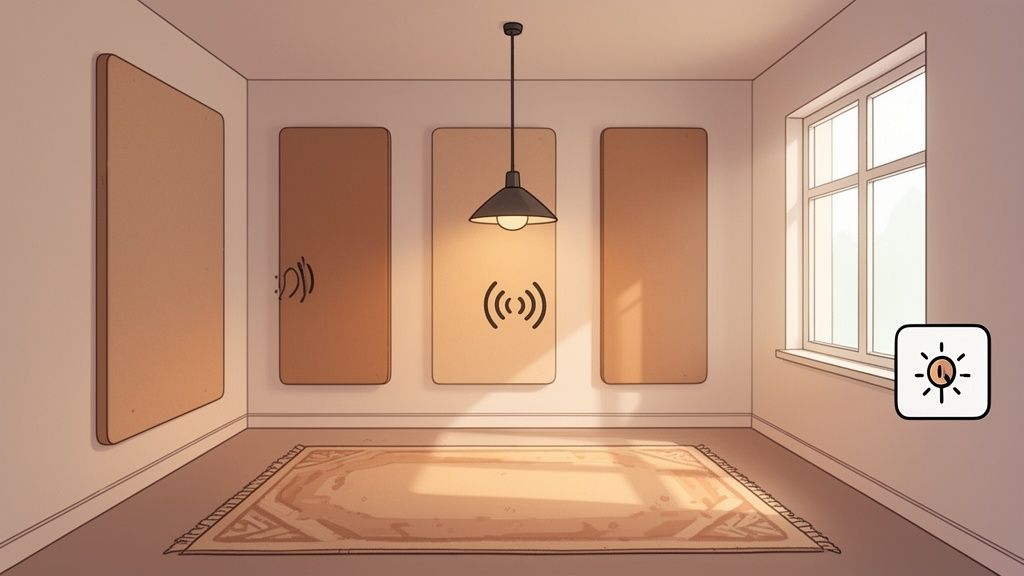
Mastering Room Acoustics
The good news is that you don't need a full renovation to manage sound effectively. A few strategic additions can make a world of difference for both audio quality and privacy. The basic idea is to introduce soft surfaces that absorb sound waves instead of letting them reflect.
Here are a few practical fixes that work wonders in a compact space:
Acoustic Wall Panels: These are designed specifically to trap sound. They come in all sorts of styles and colors, so they can blend right into your decor while dramatically cutting down on echo. Placing them on a wall opposite a big window or another hard surface is a pro move.
Area Rugs: This is one of the easiest ways to dampen sound. A plush rug not only absorbs footstep noise but also soaks up that ambient echo, making the whole room feel quieter and more grounded.
Fabric-Covered Furniture: Think about your chairs. Fabric upholstery absorbs way more sound than leather, plastic, or wood. Even adding drapery to windows can help tame reverberation.
When these elements work together, you create an atmosphere where every word is heard clearly—which is absolutely critical for productive discussions and high-stakes negotiations.
A well-treated room ensures that when someone is speaking, their voice is the primary sound picked up by the microphones, not the room itself. This is the secret to making remote attendees feel like they're right there with you.
Creating the Ideal Lighting
Just as critical as sound is the lighting. Nobody does their best work under harsh, buzzing fluorescent overheads that cause eye strain and headaches. On the flip side, dim lighting can make a space feel dreary and unproductive.
The best approach is layered lighting, which creates a balanced, professional atmosphere you can adjust for any type of meeting.
Start with a primary ambient light source, like recessed ceiling lights, for general illumination. Then, add task lighting—a stylish pendant light directly over the conference table is a great example—to focus light where it’s needed most.
Finally, the non-negotiable: make sure all fixtures are on dimmer switches. This simple feature gives you complete control to brighten the room for a high-energy brainstorm or soften it for a more relaxed conversation. It’s that kind of adaptability that reflects the premium, versatile feel of a space like Freeform House.
Booking and Preparing for a Flawless Meeting
A truly productive meeting starts long before anyone actually walks into the room. It’s the small details, the thoughtful prep, that separates a seamless, impressive session from one that feels rushed and disorganized. For those of us using a shared space like Freeform House, getting this part right is crucial to making the most of the incredible amenities at our fingertips.
The secret isn’t complicated—it’s just about having a simple, structured approach. When you break down the tasks into a clear timeline, you completely eliminate that last-minute stress and can walk into your meeting feeling confident and in control. This lets you focus on what really matters: the conversation, not the logistics.
The Week Before: Laying the Groundwork
About a week out is your sweet spot for handling the big-picture items. This is when you lock in the core details that everything else will hinge on. Trust me, skipping these early steps is a recipe for scheduling headaches and logistical nightmares later on.
Here’s what to nail down first:
Finalize the Guest List: Get a firm headcount of who’s coming, both in-person and virtually. This number dictates everything from the room you book to how much coffee you’ll need.
Book Your Space: This seems obvious, but do it early. At Freeform House, you can reserve spaces like the Executive or Thomas Room right through the member portal. Don't wait until the last minute.
Circulate a Clear Agenda: Send out a detailed agenda to everyone attending. It sets clear expectations and lets people come prepared to contribute, which is a cornerstone of how to run effective team meetings that boost productivity.
The Day Before: Fine-Tuning the Details
With just 24 hours to go, your focus should shift to the technical side and final confirmations. This is your chance to get ahead of any potential glitches that could throw your meeting off track.
I always recommend a quick tech run-through. Pop into the room and make sure the video conferencing system is good to go for your platform, whether that’s Zoom or Microsoft Teams. Test your laptop connection to the main display—you don't want to be fumbling with cables when everyone is watching.
And don't forget the people. A quick reminder email is a professional touch that goes a long way. Just confirm the time, location, and any materials they need to review. It helps guarantee everyone shows up on time and ready to dive in.
An Hour Before Go-Time
The final hour is all about setting the stage. I always suggest arriving early to get the room just right. This is your chance to control the atmosphere and make sure it’s comfortable, welcoming, and built for a focused discussion.
Tweak the lighting, check the room temperature, and if you've arranged catering through one of our local partners, make sure it has arrived and is set up nicely. One last tech check—launch the video call, pull up your presentation on the screen, and you’re ready to go.
To make this even easier, here’s a simple checklist and timeline you can follow.
Meeting Preparation Checklist & Timeline
This timeline breaks down the essential tasks to ensure everything runs smoothly, with a few extra tips for our members here at Freeform House.
Timeline | Task | Pro Tip for Freeform House Members |
|---|---|---|
1-2 Weeks Out | Finalize attendees and objectives. | Use the member portal to check room availability against your guest list size. The Thomas Room is great for up to 6 people. |
1 Week Out | Book the conference room. | Book early, especially for peak times (mid-morning/after lunch). The Executive Room is our most popular. |
1 Week Out | Send meeting invitations with a clear agenda. | Link to any pre-reading materials directly in the calendar invite to keep everything in one place. |
3 Days Out | Arrange catering or refreshments if needed. | Connect with our Community Manager for a list of preferred local caterers who deliver right to the House. |
1 Day Out | Confirm attendance and send a brief reminder. | In your reminder, mention that coffee and tea are available in the main lounge. |
1 Day Out | Test all A/V equipment and software. | The front desk team can give you a quick tutorial on the smart TV and conferencing system if you're new to it. |
1 Hour Out | Arrive, set up the room, and load your presentation. | Adjust the smart lighting from the wall panel to create the perfect ambiance for your meeting. |
15 Mins Out | Start the video conference call for remote attendees. | This gives remote guests a buffer to join and sort out any audio/video issues on their end before you officially start. |
By following a simple plan, you can take the guesswork out of preparation and lead meetings that are not just productive but genuinely impressive.
Your Top Questions About Small Meeting Spaces, Answered
Even with the most meticulous planning, you’ll always have a few last-minute questions when booking or setting up a small meeting room. It's totally normal.
Getting those details sorted out ahead of time is the key to a flawless meeting. Here are the answers to some of the most common questions we get from local business owners and professionals right here at Freeform House.
What's the Ideal Capacity for a Small Conference Room?
For a focused, productive meeting, the sweet spot is usually 4 to 8 people. That size allows for real, direct conversation where everyone can contribute without feeling cramped or disconnected.
If you're gathering a small team of four, a room around 100-120 square feet is perfect. For a larger group of 6 to 8 people, look for something in the 150-200 square foot range to give everyone enough personal space. Our own Executive Room at Freeform House was designed with exactly this kind of intimate, effective group size in mind.
How Can I Make a Small Room Feel Larger?
Making a compact room feel more spacious really boils down to three things: color, light, and furniture.
First, light paint colors on the walls are a classic trick for a reason—they make a space feel more open and airy by reflecting more light.
Then, lean into any natural light you have and supplement it with layered artificial lighting. This gets rid of shadows, which are notorious for making a room feel smaller. Finally, opt for furniture with a slimmer profile. Chairs without bulky arms and tables with thin legs take up far less visual real estate, creating a cleaner, more uncluttered vibe. A large, well-placed mirror can also work wonders by creating a powerful illusion of depth.
What Tech Is Essential for a Hybrid Meeting?
For a hybrid meeting to run smoothly in a smaller space, three pieces of tech are non-negotiable.
You absolutely need:
A high-quality, wide-angle camera that captures everyone at the table clearly.
A central speakerphone or integrated microphone that picks up audio without any distracting echo or background noise.
A reliable, high-definition display screen for crystal-clear video feeds and presentations.
An all-in-one video bar is a fantastic solution here. These devices combine a camera, microphone, and speakers into a single unit, which simplifies setup and cuts down on that dreaded cable clutter.
What Are the Best Table Shapes for Small Spaces?
The best table shape really hinges on what you’re trying to accomplish in the meeting.
A round or square table is brilliant for collaboration. It puts everyone on equal footing and encourages a natural, open discussion, making it perfect for brainstorming or team sync-ups.
On the other hand, a rectangular or oval table is better suited for presentations or any meeting with a designated leader. This shape naturally directs everyone's focus toward one end of the room, making it easy to see a screen or presenter. For the tightest spaces, modular tables that you can reconfigure or break apart offer the ultimate flexibility.
Ready to book a thoughtfully designed space for your next important meeting? At Freeform House, our small conference rooms are fully equipped to help you collaborate effectively and impress your clients. Discover our premium meeting spaces and book your room today.
Comments