How to Plan a Seminar That Actually Delivers Results

You're staring at a date, a rough budget, and a working title that says “seminar.” The venue isn't booked, the speakers aren't confirmed, and nobody can answer the most important question: what should be different after people attend?
That uncertainty is normal, but it's also where weak events begin. A seminar is first a hospitality and outcome decision, then a logistics project. The room, agenda, food, technology, registration process, and follow-up should all serve a result you can recognize and measure.
For a small-business workshop in Jenks, an executive offsite in Tulsa, or a public educational event, the same principle applies. You're not just filling seats. You're designing an experience that earns attention, makes participation easy, and gives attendees a reason to act afterward.
Start with the Outcome You Actually Want
Start by choosing one primary outcome. “Host a seminar” isn't an outcome. It's an activity.
Most seminars fall into one of three useful tiers:
Lead generation: You want qualified prospects to identify a problem, trust your expertise, and enter a sales conversation.
Client activation: You want existing customers to adopt a service, use a feature, renew, or deepen their relationship with your team.
Internal enablement: You want employees or partners to apply a process, improve coordination, or make a decision together.
Each choice changes the event. A lead-generation seminar needs a sharply defined audience, a credible promise, and a follow-up path that sales can manage. A client-activation session can spend more time on practical demonstrations and guided exercises. An internal seminar may need sensitive discussion, private work areas, and a facilitator who can manage disagreement.
Before you book anything, answer these questions:
What will attendees do differently on Monday?
Who is the buyer, and who is the user?
Does the seminar need to produce immediate action or build trust over time?
Is this a one-off event, or should it become a repeatable engine?
What evidence will prove that it worked?
If you're planning a corporate gathering, corporate event planning guidance can help you connect the event purpose to the experience you're building.
A lead-generation seminar may favor a larger audience and a concise educational promise. An internal enablement session may favor fewer people, deeper discussion, and a carefully protected environment. Client activation sits between the two, with content designed to remove friction and move people toward a specific next step.
Practical rule: Pick one primary outcome, then allow secondary benefits only when they don't compete with it.
This decision controls everything that follows. It determines how much content you need, what kind of room supports the conversation, how you promote the event, and what happens after the final session. The rest of the plan is disciplined execution against this answer.
Build the Working Backbone of the Seminar
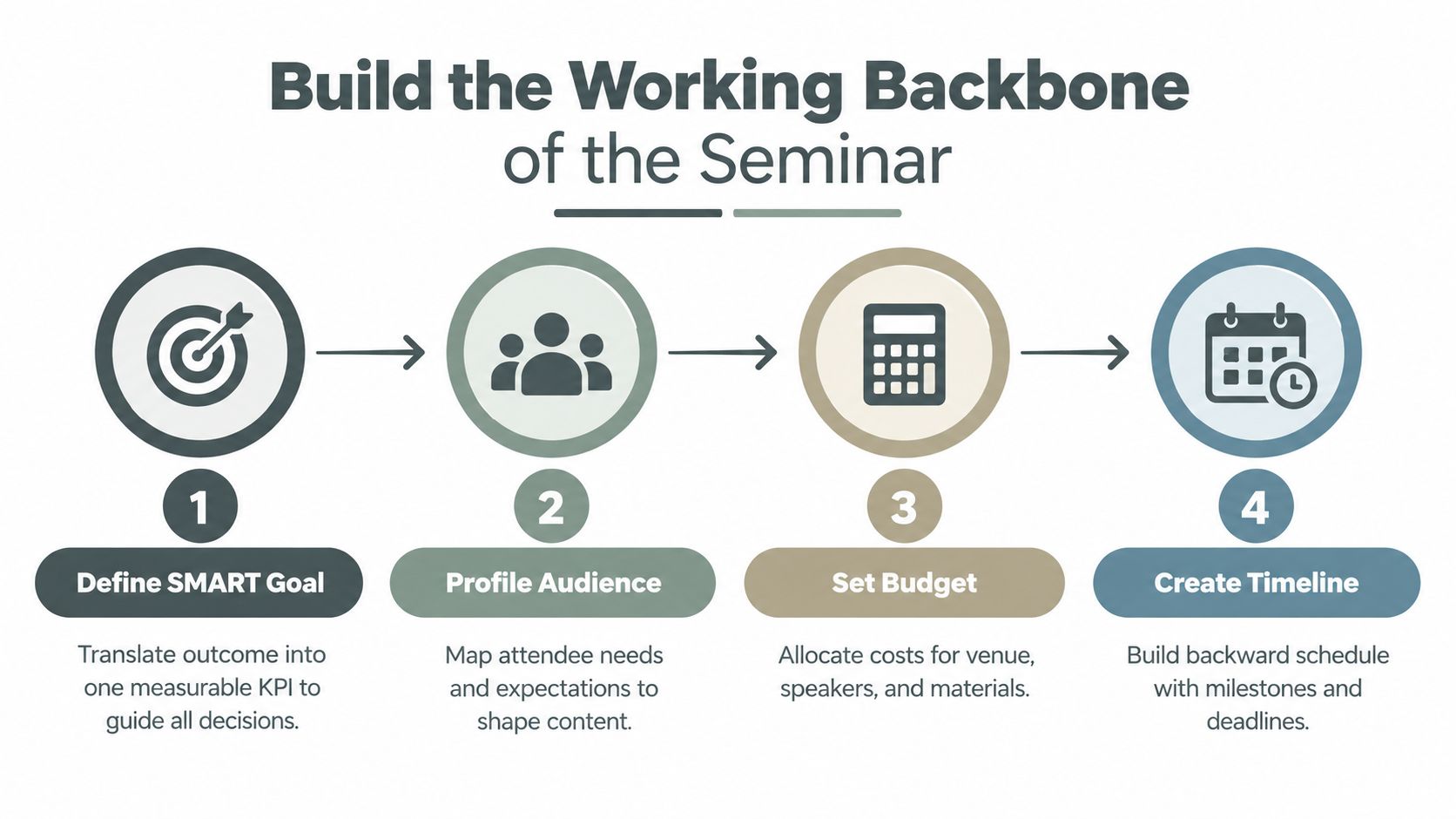
Once the outcome is clear, turn it into one measurable KPI. Use a SMART goal, but don't bury the team under a dashboard. Choose the number that best represents the event's job, such as qualified leads, actual attendance, pipeline created, or activation rate.
A useful goal sounds like this: “Generate qualified conversations with operations leaders who attend the workshop and request a follow-up.” The exact target belongs in your internal plan. What matters is that everyone knows what counts as success before invitations go out.
Define the audience before the budget
Audience profiling should be practical, not decorative. Write down the attendee's industry, seniority, current pain, and the promise that earns their afternoon. A founder who needs better hiring systems doesn't want the same seminar as a finance executive evaluating risk controls.
Then build the budget around the experience, not around a venue quote. Separate fixed costs, such as room rental and speaker fees, from variable costs, such as food, printed materials, and attendee gifts. Assign working allocations for:
Venue: Space, furniture, access, cleaning, and any membership or service fees.
Food and beverage: Arrival coffee, meals, breaks, and dietary accommodations.
AV: Sound, displays, microphones, presentation support, and recording.
Marketing: Creative, email, paid promotion, partnerships, and registration software.
Speakers: Fees, travel, preparation, and hospitality.
Contingency: A protected reserve for changes and surprises.
For a 50-person event, protect the intimate experience and watch per-person catering and AV costs closely. For a 150-person event, negotiate scale, but expect registration, flow, sound coverage, and staffing to become more complex. Don't set a budget until you know your break-even attendance, acceptable show rate, sponsorship expectations, and the owner of every deliverable.
Work backward from event day
Use a reverse schedule:
12 weeks out: Hold the venue, confirm the primary outcome, and begin speaker outreach. Inviting speakers at least three months in advance is consistent with the Washington Statistical Society seminar handbook, which notes that two months can be inadequate.
8 weeks out: Send the save-the-date, finalize the audience promise, and confirm the initial program.
6 weeks out: Launch registration and begin direct outreach.
4 weeks out: Intensify promotion, publish speaker details, and review registration quality.
2 weeks out: Lock the run-of-show, confirm vendors, and identify attendance risks.
Final week: Rehearse, send logistics information, and prepare contingency plans.
Use a single owner for each task. Event logistics management guidance is useful when several vendors, speakers, and internal teams need to work from one operating plan.
Pick a Room That Matches the Seminar You Want to Run
A room isn't a neutral container. It changes how people behave, how speakers perform, how much branding you need, and how much energy survives between sessions.
A hotel ballroom gives you capacity, catering familiarity, and predictable production support. It also tends to create distance between the presenter and the audience. Convention space handles scale and complex layouts, but it can feel generic unless you invest heavily in signage, lighting, and set design. Coworking halls offer useful infrastructure and a business-oriented atmosphere, while intimate character-rich venues can make a smaller gathering feel deliberate rather than reduced.
Venue Format Comparison for Seminars | Intimacy | Acoustics | Branding Control | Cost per Attendee |
|---|---|---|---|---|
Hotel ballroom | Low to medium | Usually predictable | Medium | Often higher at smaller attendance |
Convention space | Low | Requires careful production planning | Medium | Efficient at larger scale |
Coworking hall | Medium | Depends on the room and adjacent activity | Medium to high | Flexible |
Character-rich venue | High | Must be assessed on site | High | Can be higher, but supports premium positioning |
Freeform House in Jenks is a useful example of the last category. The membership-based club occupies a restored 1920 building in the 10 District downtown, combining historical character with modern workspace and event functionality. Its named rooms, the Hall of Fame Room, Freeform Room, Executive Room, and Thomas Room, give organizers options for different levels of privacy and participation. The exposed materials and warm character can lift the perceived value of a seminar without turning the room into a branded set.
That matters because a smaller, design-forward room changes the speaker-audience relationship. People can see one another, questions feel less performative, and a workshop exercise can replace a long lecture. The trade-off is capacity. You may reach fewer people, but the people in the room can receive more attention and create stronger connections.
Inspect the room like a producer
During a site visit, check:
Capacity versus feel: The legal maximum isn't your target. Decide how much breathing room and interaction the format needs.
Ceiling height and acoustics: Hard surfaces, low ceilings, and nearby activity can make speech tiring.
Natural light: Useful for daytime energy, but control glare on screens.
Power and network drops: Confirm where presenters, registration, cameras, and food service will draw power.
Load-in access: Ask how equipment, signage, and catering enter the building.
Parking and access: Make arrival simple for local and visiting attendees.
Food and breakout proximity: Long walks interrupt momentum.
Submit the room layout no later than one week before the event, as advised by UTRGV's room-layout guidance. For more venue-selection criteria, use this business meeting venue guide.
Design the Program and Lock in Speakers
Build the agenda around 45-minute attention blocks, not one uninterrupted keynote. Engagement often begins slipping around the 22-minute mark, and only about 37% of viewers remain for a full 60-minute session, according to PresEngage's webinar benchmark analysis. Those figures come from webinar behavior, but the planning lesson applies to in-person rooms too. People need a change of pace before passive attention fades.
Front-load the most valuable material into the first two hours. Open with the problem your audience cares about, establish credibility quickly, and give attendees a useful action before the event settles into a rhythm. Use a short case walkthrough, a live exercise, or a moderated discussion instead of stacking speeches.
Give every module a job
A strong module usually has a clear shape:
Case walkthrough: Show the decision, obstacle, and practical move.
Audience exercise: Let attendees apply the concept while the facilitator is present.
Expert segment: Keep the explanation focused and tied to the promised outcome.
Q&A buffer: Protect room for questions instead of pretending you can predict every need.
Leave 15% of the run-of-show as reactive slack. A speaker will run long, a discussion will surface an important issue, or registration will take longer than expected. A schedule with no breathing room is already behind.
Your run-of-show should list the session, time, owner, materials, and backup for every line. Add 15-minute buffer periods where the room needs to reset, speakers need to change, or attendees need to move. Silent transitions kill momentum, so assign someone to introduce the next segment, reset the room, and explain what happens next.
Test every presenter with a 10-minute audition call. Don't rely on a polished reel. Listen for clarity, audience awareness, and the ability to answer a difficult question without turning the session into a sales pitch. For groups under 80, local practitioners often bring stronger authenticity and lower travel complexity than distant names.
Before doors open, place water, a clicker, a confidence monitor, the preferred microphone, and a printed run-of-show taped to the lectern. Conduct a real tech rehearsal. A speaker who knows exactly where to stand and how the next segment begins will look prepared, even when the event needs to adapt.
Drive Registrations and Forecast Actual Attendance
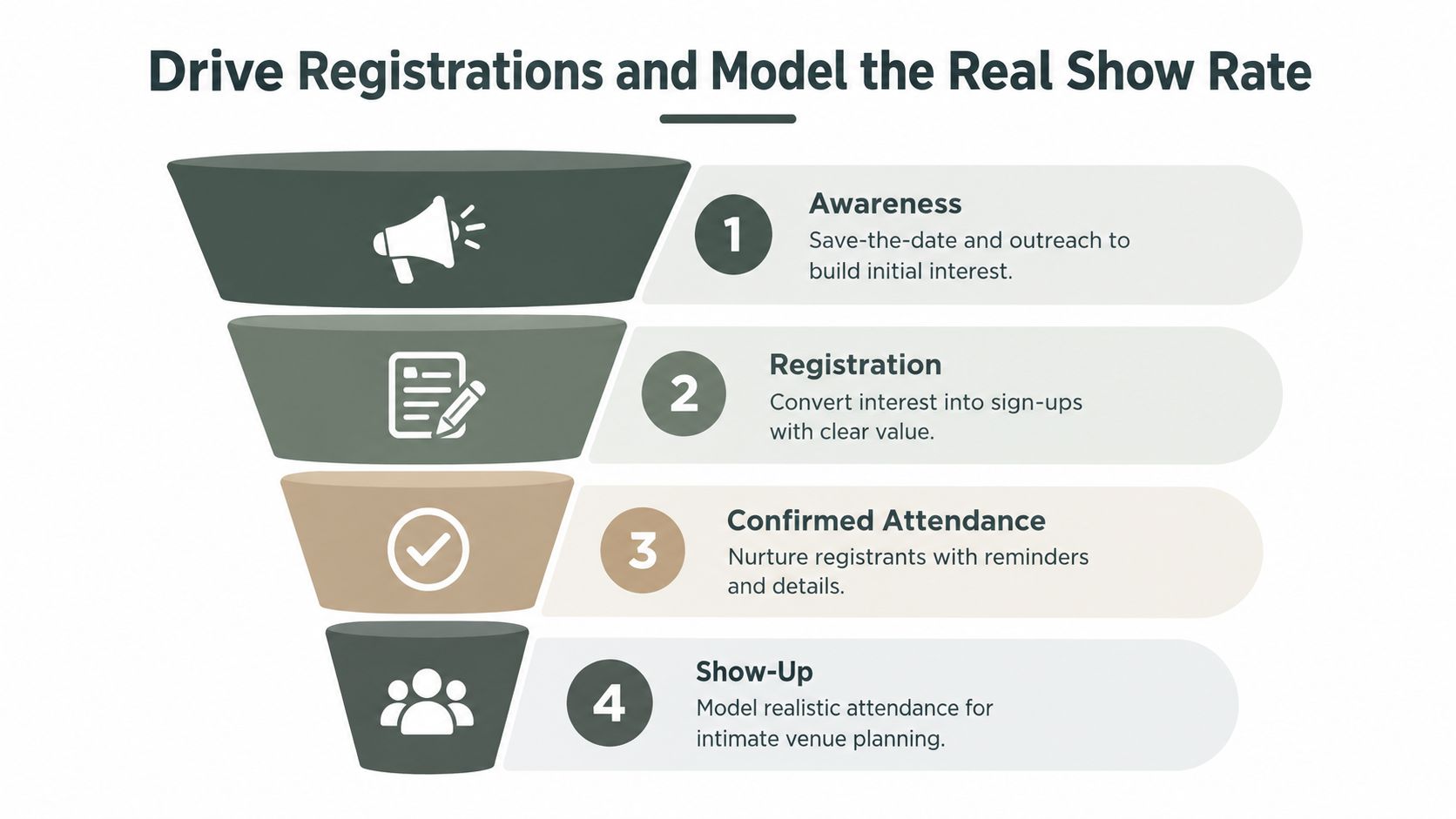
A full registration list does not guarantee a full room. Track the funnel in four stages: awareness, registration, confirmed attendance, and show-up. For seminar-style events, live attendance often falls within 40% to 60% of registrants, with many programs clustering around 49% to 63%, depending on format and source, according to WebinarNinja's attendance benchmarks. Use those figures to set expectations, then replace them with your own event history.
Build a deliberate cadence
Freeform House in Jenks works well for an intimate seminar because the venue itself gives people a reason to attend. Use that character in a focused sequence:
Six weeks out: Send a save-the-date that names the central problem and audience promise.
Four weeks out: Promote the agenda and one practical takeaway.
Two weeks out: Remind prospects about the deadline and limited availability.
Final 72 hours: Send three reminders, each with a different hook, such as the speaker, agenda, or a peer testimonial.
Your landing page must answer six questions quickly: who the seminar is for, what attendees will learn, who is speaking, where it takes place, what food or materials are included, and what happens after registration. Keep the form short. Request only information needed for attendance, segmentation, accessibility, dietary planning, and responsible follow-up.
The confirmation email should remove uncertainty. Include parking instructions, dress expectations, arrival time, food details, cancellation terms, and a calendar hold. Use authentic photography when the venue has a distinctive identity. Do not use clip art. A realistic, local visual style supports a premium position and helps prospects understand the experience they are reserving.
Calculate the room requirement
Use this planning formula:
Capacity × historical show rate, minus a 10% no-show buffer, equals the registrations you need.
For paid events, plan around a 55% to 70% show rate. For free events, plan around 35% to 55%. Replace these ranges with your own historical data as soon as you have it.
Never sell beyond the fire-code limit at a paid event. For a free seminar, deliberate overbooking of 15% to 20% against expected show rate can protect the room's energy, but confirm attendance by phone 48 hours out when the space is small and every empty chair shows. Track source, registrations, show-ups, and cost per show-up by channel. A character-rich room can improve attention and follow-up, but only if the attendance plan protects the experience.
Run Logistics, Staffing, and AV Without Drama
The event feels effortless only when someone has handled the difficult details in advance. Start with roles. Assign a host to manage energy and announcements, an AV technician to protect sound and presentations, and named owners for registration, speakers, catering, and room resets. Larger groups need a runner and a registration lead once the event moves above 60 attendees.
AV deserves a real budget. For a 300-person, three-day corporate conference with a few breakout rooms, one planning guide places a clean, professional AV setup between $25,000 and $50,000. That isn't a small-room seminar quote, but it demonstrates how quickly production costs rise with audience size and program complexity, as detailed in this conference AV cost guide. Another industry benchmark recommends allocating 15% to 25% of the total event budget to AV technology, according to AVEvents' conference budget guidance.
Seminar AV Budget Benchmarks | Attendees | Typical Cost | Includes |
|---|---|---|---|
Small-room package | Small seminar | Qualitative, obtain a vendor quote | Two wireless microphones, small mixer, speakers, projector |
Larger corporate production | 300 | $25,000 to $50,000 | Professional AV for a three-day conference with breakout rooms |
AV allocation benchmark | Varies | 15% to 25% of total event budget | Audio-visual technology allocation |
Don't treat safety as a venue formality. A meeting-room facilities checklist calls for aisles at least 44 inches wide, or 36 inches in smaller rooms per fire code, and at least 18 inches of clearance below sprinkler heads. Use the stricter operational standard when your layout includes equipment, bags, or heavy traffic. Keep exit signs visible from every seat and post capacity at the door.
Remove day-of decisions
Finalize the floorplan early, submit the required layout at least one week before the event, print signage 72 hours ahead, and lay out name badges and place cards the night before. Build a load-in checklist that covers tables, chairs, registration supplies, power, presentations, microphones, food, signage, accessibility, and emergency contacts.
On show day, put one owner beside every milestone: doors open, mic check, registration peak, session start, breaks, room reset, final close, and load-out. A host shouldn't be chasing a missing adapter while welcoming attendees. Separate the hospitality role from the technical role, then give both people authority to solve problems.
Evaluate, Follow Up, and Set Up the Next One
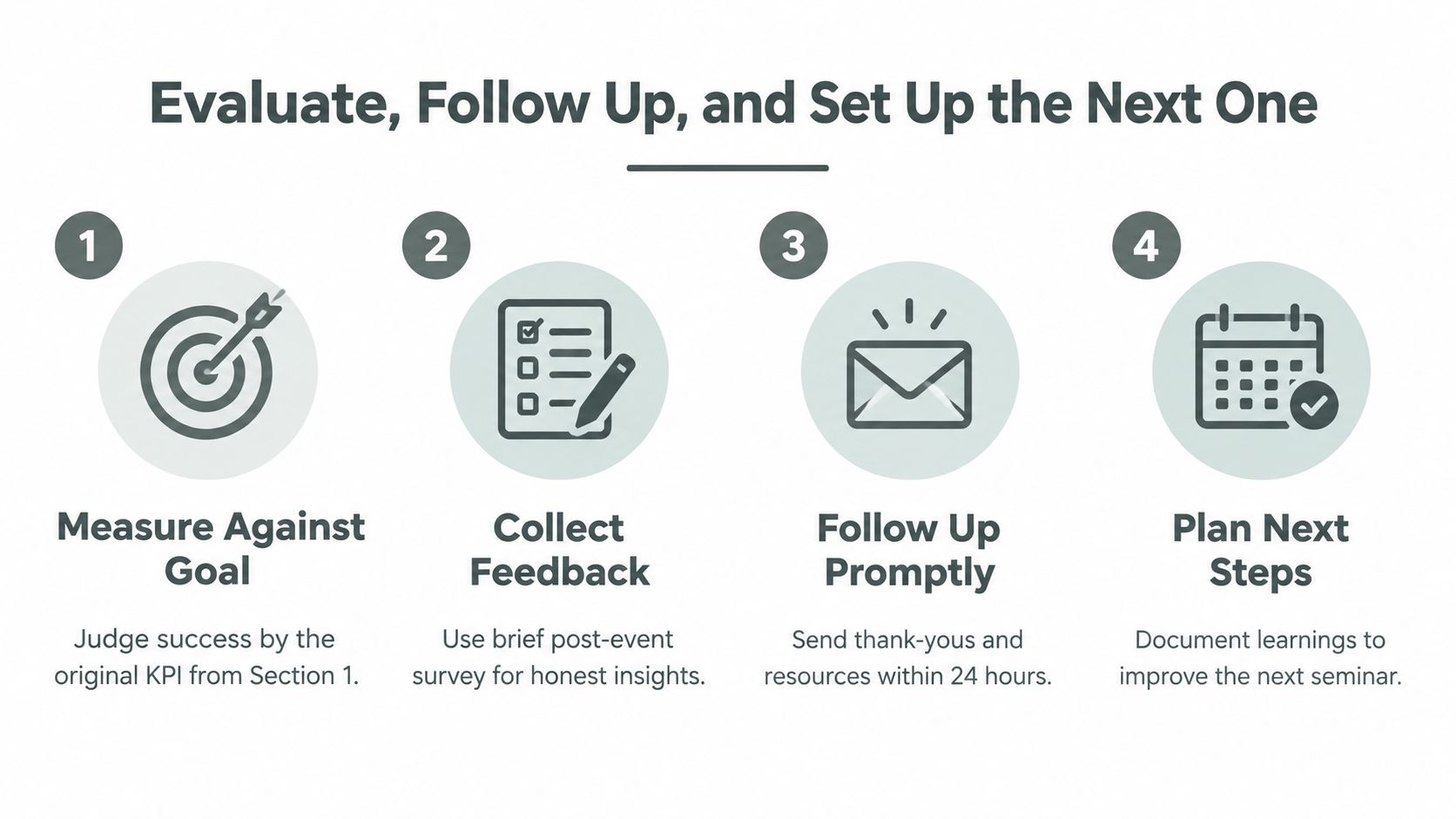
Judge the seminar by the outcome you selected at the beginning, not by applause or the number of photographs posted afterward. A lead-generation event needs lead quality and follow-up movement. A client-activation event needs evidence of adoption or a clear next action. An internal seminar needs proof that people can apply the agreed process.
Send a short survey while the experience is fresh. Keep it to 4 to 6 questions covering content usefulness, speaker quality, venue experience, confidence to act, and one open-ended improvement question. Add a recommendation question if you use net promoter score, but don't make the survey so long that only the most enthusiastic attendees finish it.
Measure the promise, not the spectacle. A packed room can still fail if the right people don't take the intended next step.
Turn feedback into action
Use a simple debrief that compares forecast with reality and records:
Attendance: Registrations, confirmed attendees, show-ups, and no-shows.
Content: Which modules produced questions, participation, or visible confusion.
Speakers: Timing, clarity, preparation, and audience fit.
Operations: AV problems, room flow, registration friction, and catering waste.
Commercial result: Lead quality, meetings booked, activation signals, or internal adoption.
Follow up with attendees at 30, 60, and 90 days. The first contact should deliver thanks and promised resources. Later messages should connect the seminar's ideas to an action, conversation, or useful next step. For marketing-driven events, add lead scoring so sales can distinguish curiosity from buying intent.
Use the evidence to choose one of four decisions:
Repeat: The audience, outcome, and format worked.
Scale: Demand and delivery quality justify a larger room or broader promotion.
Retire: The event consumed resources without supporting its primary KPI.
Pivot: The topic has value, but the audience, format, timing, or venue needs to change.
Hybrid deserves a deliberate decision rather than automatic adoption. Industry coverage reports 123 million hybrid events globally in 2025, 83% of organizers reporting higher attendance with virtual or hybrid formats, and approximately 40% higher total attendance than in-person-only events, as reported by AMW Group's virtual and hybrid events coverage. Those figures support hybrid when reach, access, or recorded content matters. They don't justify adding cameras and streaming complexity to an intimate workshop where trust and participation are the core products.
Freeform House is designed for seminars, workshops, executive meetings, coworking, and private gatherings, with distinct rooms and creative resources such as a podcast booth and The Rise loft studio. If you're planning an intimate, outcome-focused event in Jenks, visit Freeform House to explore a venue where hospitality, room character, and follow-up conversations can support the work beyond the presentation.
Comments